Multi currencies
Invoice in multiple currencies
Bill each customer in their own currency without running conversions by hand. Set the currency once per customer, let the built-in converter handle the rate — or set your own price per currency and skip conversion altogether.
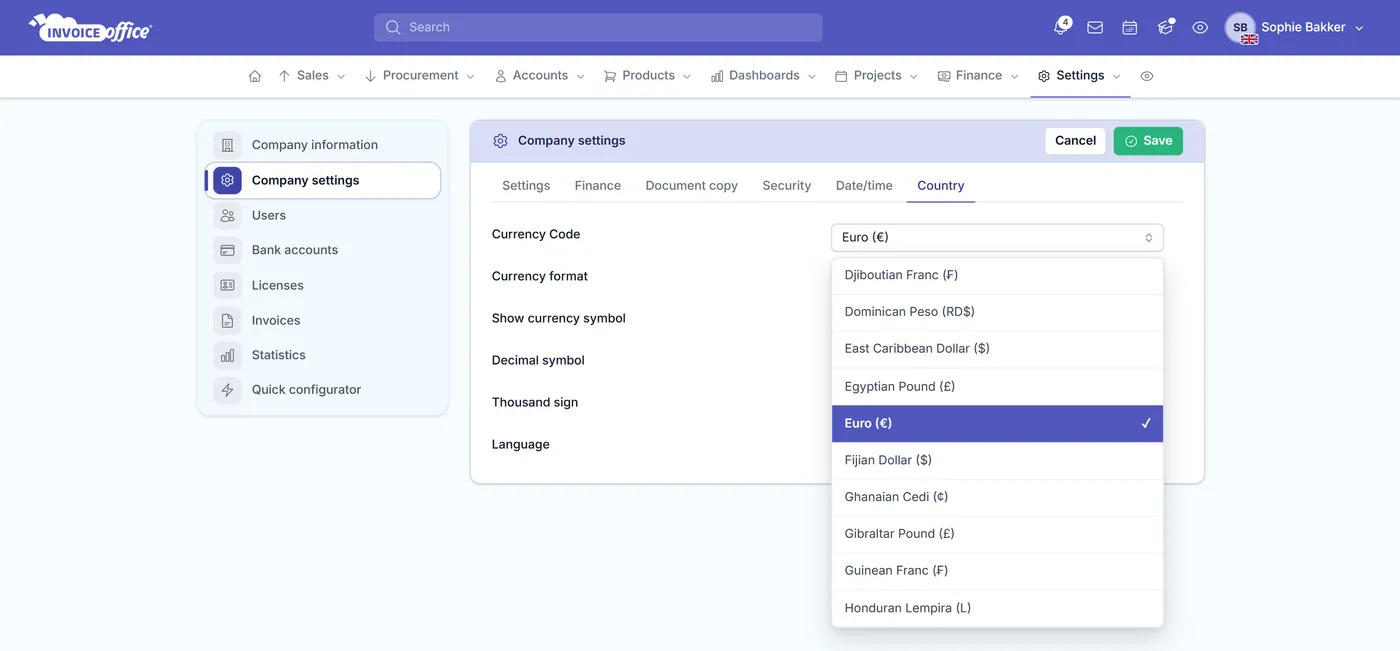
Where currency lives
Multi-currency invoicing: set it once, not per invoice
Multi-currency invoicing is a setup job here, not a per-invoice one: it lives on the customer, the product and the document — so billing abroad stops being a decision you have to get right every time.
- Default currency
- Per customerDefault currency
- Built-in converter
- Live ratesBuilt-in converter
- Price per currency
- Per productPrice per currency
- A default currency per customer
- Set the currency once on the customer record and every quote, invoice and reminder for them is created in it. Pick them on a document and the currency is already right — nobody has to remember who is billed in what.
- Live rates from the built-in converter
- Switch on the Google Currency Converter and Invoice Office fetches the live rate when you change a document’s currency, converting the prices on it for you instead of leaving you with a calculator. It is a free connector, not a paid add-on.
- Real prices per currency
- Give a product its own sale price per currency — optionally per country too, each with its own VAT code, RRP and decimals — so you charge a round 49 in one market instead of whatever last week’s rate converted to. Conversion is a fallback, not your price list. Per-currency product prices are part of the Pro license.
- The rate is kept on the document
- Each document stores the currency and the rate applied when it was made. A later swing in the market does not quietly rewrite an invoice you already sent.
- Symbols & decimals that look right
- Every currency carries its own name and symbol. Currency format sets where the symbol sits and Show currency symbol decides whether it prints at all. Decimal symbol, Thousand sign and Price number of decimals settle how the figures themselves are written — at company level, and again per user.
- Suppliers & purchases too
- Currency is a supplier setting as well, so a purchase order to a foreign vendor is raised in their currency the same way your sales documents are raised in your customer’s.
Keeping the books straight
Honest numbers, per currency
Multi-currency invoicing is easy to do badly — usually by adding up amounts that were never the same money. Invoice Office keeps each currency separate and each document honest about the rate it was billed at.
Your own company currency
Currency Code sits in your company Country settings, alongside Currency format, Decimal symbol, Thousand sign and Language — the defaults you think and quote in. Foreign-currency documents are the exception you choose per customer, not a mode you have to switch into.
Statements grouped per currency
A customer holding invoices in two currencies gets a statement grouped per currency, with a separate total owed in each. Amounts are never blended into one misleading figure.
Currency names in your own language
The currency picker shows each currency by name and symbol, translated into the language you work in — so you pick “US Dollar ($)” rather than a bare three-letter code. The document itself carries the currency symbol and code.
Every active currency available
The currency list is maintained centrally with each currency’s name and symbol, so you are picking from real, current options rather than typing a code and hoping it prints properly.
How it works
Three settings, then forget it
Step 1Set your company currency
Choose the currency your business works in. It is the default on every document until something says otherwise.
Step 2Give the customer theirs
On the customer record, set the currency they should be billed in — alongside their language, price list and terms.
Step 3Invoice without doing the maths
Their documents are created in their currency. With the converter switched on, changing a currency reprices the lines for you; with per-currency product prices set, your own price is used instead.
Multi-currency questions, answered
Can I invoice a customer in a different currency from my own?
Does Invoice Office convert currencies automatically?
Can I set my own price per currency instead of converting?
What exchange rate does an invoice use later on?
How do customer statements handle several currencies?
Can I buy in a foreign currency as well as sell?
More answers in our FAQ and help center, or follow the step-by-step guide to multiple currencies and customer statements per currency.
Related
Where the currency setting shows up
Bill the world in its own money
Set the currency once per customer and let every document follow. Free to start, and no credit card to try it.