Packing notes
Create professional packing notes
Packing slips that match the rest of your paperwork — branded, in your customer’s language, and tracked through your own workflow. When the goods have shipped, turn one packing note or a whole month of them into an invoice.
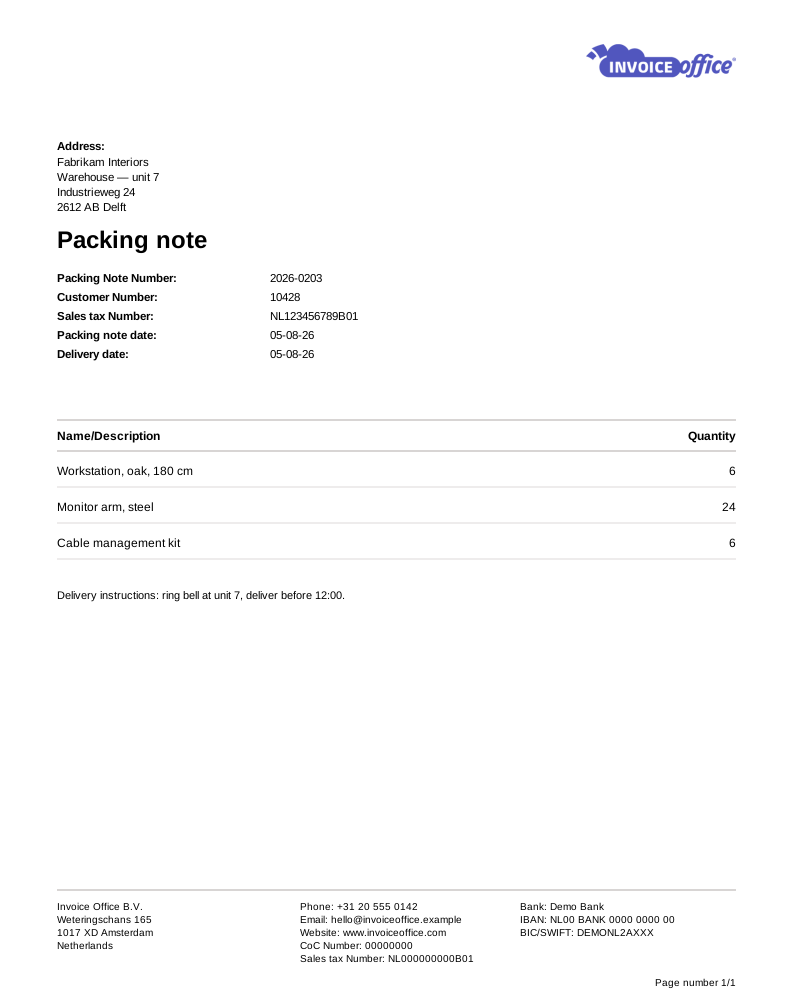
Everything on the packing note
The document that ships with the goods
A packing note is the one piece of paper your customer opens before anything else. It should be as accurate and as on-brand as the invoice that follows it.
- Template & style selection
- Pick a layout, drop in your logo and colours, and every packing note leaves the warehouse looking like the rest of your paperwork — not like an afterthought.
- Multiple languages & currencies
- Shipping abroad? Set a language and currency per customer and the packing note is produced in their terms, so whoever opens the box can read it.
- Import lines from Excel
- Large orders do not need to be typed out. Fill the import template with a product number and a quantity per line and the matching products come from your catalog, ready to check. Up to 300 lines, on a Pro license.
- Text lines & a total quantity row
- Add free text lines for handling or delivery instructions, and print a total quantity row so a big shipment is easy to check off against the box.
- Per-customer document settings
- Set a customer’s document design, document term, email template, VAT code and number series once, and every packing note for them picks those up — with their VAT number coming straight off the customer record.
- Add attachments
- Send manuals, product sheets, certificates or return instructions along with the packing note, so everything the customer needs arrives together.
From shipped to billed
Never type a delivery twice
The reason to run packing notes in the same system as your invoices: what left the warehouse becomes what you bill, without anyone copying lines between two documents — or forgetting a shipment entirely.
Workflow statuses & labels
Track each note through stages you define yourself and tag it with a Label, so you can see at a glance what is still sitting in the warehouse. Workflow status is part of the Pro license, and can be set on a whole selection at once.
One invoice from several packing notes
Ship to the same customer three times this month and bill it once. Select the finalized notes and Create invoice merges them into a single invoice — or Create separate invoices raises one per note when that is what the customer expects.
The delivery that moves the stock
With backorders switched on, an order confirmation reserves stock and the goods only physically leave on delivery. The packing note is that delivery, so the shelf and the system agree without anyone adjusting a figure by hand.
How it works
From warehouse to invoice in three steps
Step 1Build the packing note
Start from an order confirmation or from scratch, pull products from your catalog, and let customer settings fill in the references the delivery needs.
Step 2Pack it and ship it
Print or email the packing note with the goods, attach any manuals or certificates, and move the note through your workflow statuses as it leaves.
Step 3Turn it into an invoice
Invoice one packing note or several at once — the products, quantities and prices carry straight over. A single note also converts into a proforma invoice, and notes selected on the list roll up into an order confirmation.
Packing note questions, answered
What is a packing note?
What is the difference between a packing note and an invoice?
Can I bill several packing notes on one invoice?
What if only part of the order shipped?
Can I track whether a shipment has gone out?
Do packing notes show prices?
More answers in our FAQ and help center.
Related
The documents on either side of a delivery
Less admin, more shipping
Run your packing notes and your invoices in one place. Free to start, no credit card.