Product management
Product management and pricing, automated
Set the profit margin you want and let the sale price follow. Keep units, article codes, categories and images on the product itself, link the supplier you buy it from, and see your stock as it actually stands.
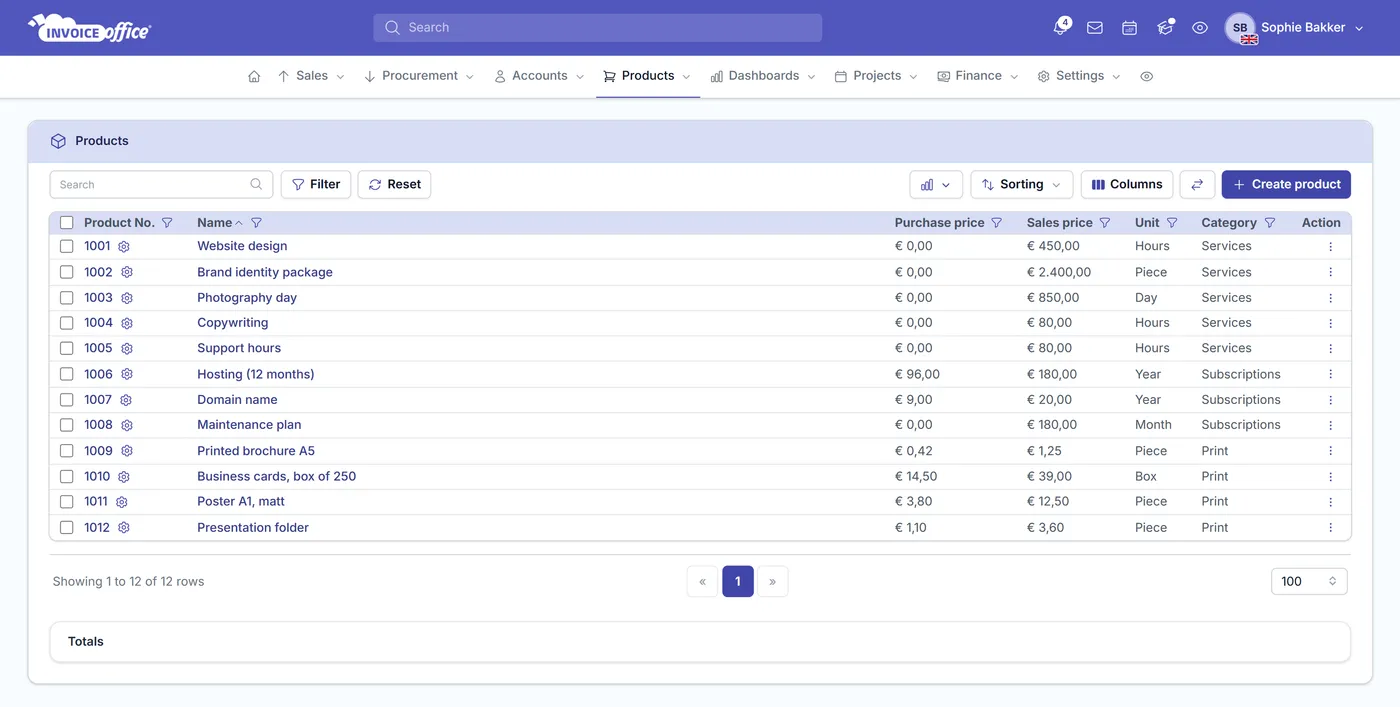
Everything on the product
Price it right, then sell it
A product record is worth having when it does more than sit in a list. This one sets your prices, tells you what is in stock, and puts the right image on the invoice.
Sale prices from your profit margin
Set the margin you want and the sale price is calculated for you, instead of being worked out by hand each time. You stay competitive without quietly eroding what you make on the sale.
The sums done for you
Change the purchase price or the margin on the product and the sale price, VAT and profit breakdown update straight away. No guesswork, no spreadsheet of manual recalculations that is already out of date by the time you use it.
One organised catalog
Detailed product records keep the catalog consistent and cut the errors that come from listing the same product two slightly different ways across your invoices and documents.
Supplier information on the product
Store the supplier against the product along with their own product name, product number, EAN and a link — so the code your supplier uses and the code you use are both on the record when it is time to reorder.
Stock on the same record
Enable stock management on a product and it starts carrying its own stock figures, moved by the documents and purchases you already raise rather than by anyone counting. The Stock section on a product is part of the Pro license.
Product images on documents
Add an image to a product and it can appear on document lines, so customers recognise what they are buying and order processing goes wrong less often. Showing product images on a document is part of the Pro license.
Product properties
A record complete enough to reuse
Detailed product records are what keep a catalog organised and stop errors creeping into product listings. Fill these in once and every quote, invoice and purchase draws on the same version of the truth. Turn on stock management and that record tracks quantities too, put products on a price list to charge each segment differently, or bundle the ones you always sell together into a product group.
Units, dimensions & specification
Record the unit a product is sold in and its default quantity, plus colour, weight, volume, length, width, height, depth, diameter and opening — the detail that decides shipping and whether a thing fits where the customer wants it.
Article codes & product numbers
Give every product its own Article code and Product No. One unambiguous identifier is what makes a catalog searchable and stops two similar products being confused for each other.
Categories
Group products into categories so a growing catalog stays navigable, and so reporting can tell you which parts of your range are actually earning.
Translations & currency prices
Give a product its name and description in each language you sell in, so the document reads properly for the customer receiving it — and a price per currency for the markets you sell into. Translations and per-currency prices are both part of the Pro license.
How it works
From product record to sale
Step 1Create the product
Add the article code, unit, category and product information, attach an image, and record which supplier you buy it from.
Step 2Set the margin
Enter your cost and the profit margin you want, and the sale price is calculated for you — recalculating whenever either side of that changes.
Step 3Sell and track
Pull the product onto a quote or invoice with its price and image already right, and watch stock levels move as you sell and buy.
Product management questions, answered
How do I set a sale price based on profit margin?
What product properties can I store?
Do prices update when my costs change?
Can I link a supplier to a product?
Can I track stock levels?
Can I add product images to invoices and quotes?
Can I create a document straight from a product?
More answers in our FAQ and help center.
Related
What your product records feed into
Get your catalog in order
With our software we make the lives of entrepreneurs easier. Free to start, and 14 days free on every paid plan.