Invoices
Create professional invoices online
Invoice software for small businesses and freelancers. Build a branded invoice in under a minute, bill in any language or currency, let recurring invoices send themselves — and add a payment link so your client can settle on the spot.
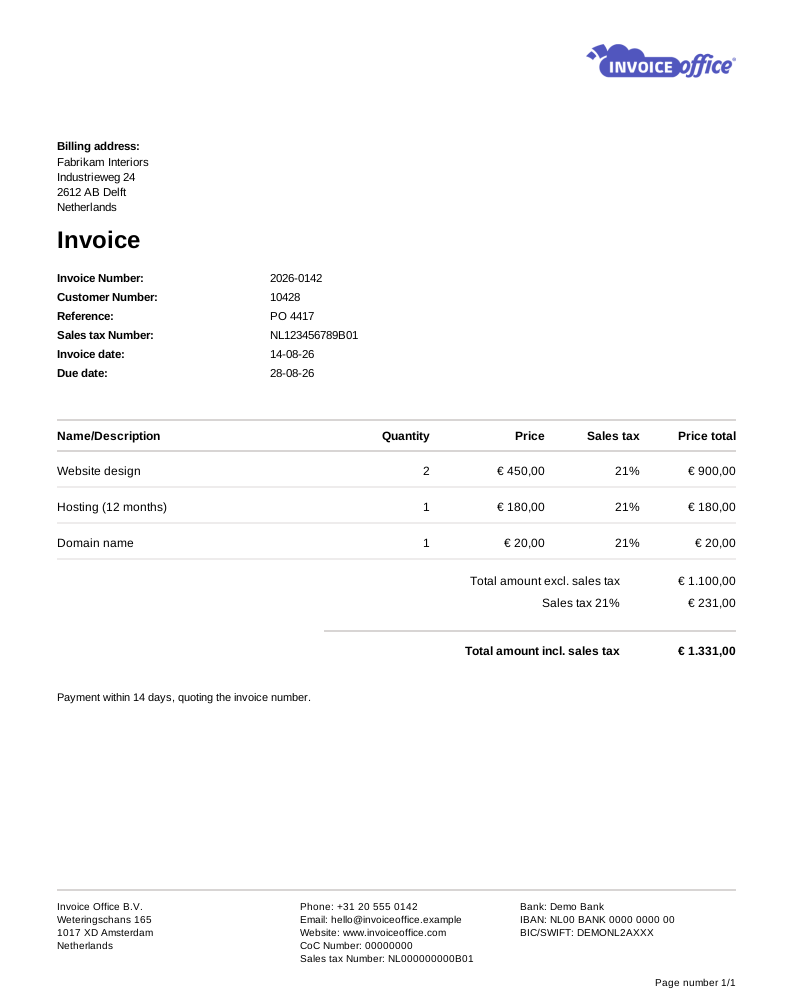
Everything on the invoice
Your invoice, exactly how you want it
Design, wording, language, currency and delivery — all of it is yours to set, and it stays set for every invoice that follows.
- Customisable invoice templates
- Start from a clean template and make it yours — logo, colours, columns, document terms and payment terms. Save the layout once and every invoice comes out on brand.
- Recurring invoices on a schedule
- Bill retainers and subscriptions automatically. Pick a Cycle — weekly through to yearly — set Send From and Send until, and each invoice is generated, finalized and emailed on its own date.
- Import invoice lines from Excel
- Long, detailed invoices do not need to be typed line by line. Upload an Excel sheet and the lines land in the invoice with descriptions, quantities and prices intact.
- Multiple languages & currencies
- Invoice a client in their own language and currency. Pick both per customer and the document, totals and VAT wording follow — no manual conversion or rewriting.
- Document texts that do the talking
- Add an introduction, a closing note, payment terms and document terms — plus internal notes only your team sees. Set defaults so you are not retyping them.
- Attachments & UBL e-invoicing
- Attach timesheets, specifications or terms to the invoice email, and send a machine-readable UBL invoice over Peppol so it drops straight into your client’s system. Invoice UBL XML sits on every finalized invoice, and Send to Peppol appears as soon as your Peppol connection is active.
- One document becomes the next
- The Action menu creates the related document without retyping a line: a credit note, a recurring invoice, an order confirmation, a packing note, a quote, a proforma or a purchase order.
Amounts & totals
Control every number below the line
Most invoicing tools give you a subtotal, VAT and a total. Invoice Office lets you shape the whole bottom half of the document — what it is called, what shows, what is deducted, and what you actually earned on the job.
Text lines & subtotal sections
Break a big invoice into readable blocks with free text lines and per-section subtotals, so the client sees exactly what each part of the job cost.
Custom total labels
Rename the totals row to whatever your business calls it, in the language of the document, so the invoice reads the way your clients expect.
Show or hide total fields
Choose which fields appear under the line items — net, VAT per rate, discount, shipping, deposit and advance payment — and hide the ones that do not apply to how you bill.
Discounts, deposits & shipping
Apply a discount per line or across the grand total, deduct an advance payment or deposit already received, and add shipping costs as their own amount.
Profit per invoice
Record what the work cost you and see the margin on an invoice, a project or a client in real time — not months later when the books are closed.
How it works
From draft to paid in three steps
Step 1Build the invoice
Pick a customer, pull products and prices straight from your catalog, or convert an accepted quote into an invoice in one click. VAT is calculated as you type.
Step 2Send it your way
Email it as a branded PDF, send a UBL document over Peppol, or download and print. Add a payment link so clients can settle immediately, or share a Public document link that opens the invoice in their browser.
Step 3Get paid, hands off
Payments are registered against the invoice and reconciled with your bank. Anything still open gets a payment reminder — automatically for every stage you set to auto-send, and one click away for the rest. The chase stops as soon as the payment is registered.
Invoicing questions, answered
Can I create an invoice for free?
Can I send invoices in another language or currency?
How do recurring invoices work?
What is a UBL invoice, and do I need one?
How do I chase an invoice that has not been paid?
Can I correct an invoice I have already sent?
More answers in our FAQ and help center.
Related
Documents that work alongside your invoices
Send your first invoice today
Free to start, 14 days free on every paid plan, and no credit card to try it.