To set up US sales tax in Invoice Office, connect TaxJar or Zip-Tax. US sales tax is not one rate: it depends on the state, county and city the goods go to. Instead of keeping a sales tax code for every ZIP code yourself, Invoice Office asks the connector for the live rate for your customer’s address.
(Outside the US the same settings are called VAT; see how to create a VAT code.)
Connect TaxJar or Zip-Tax
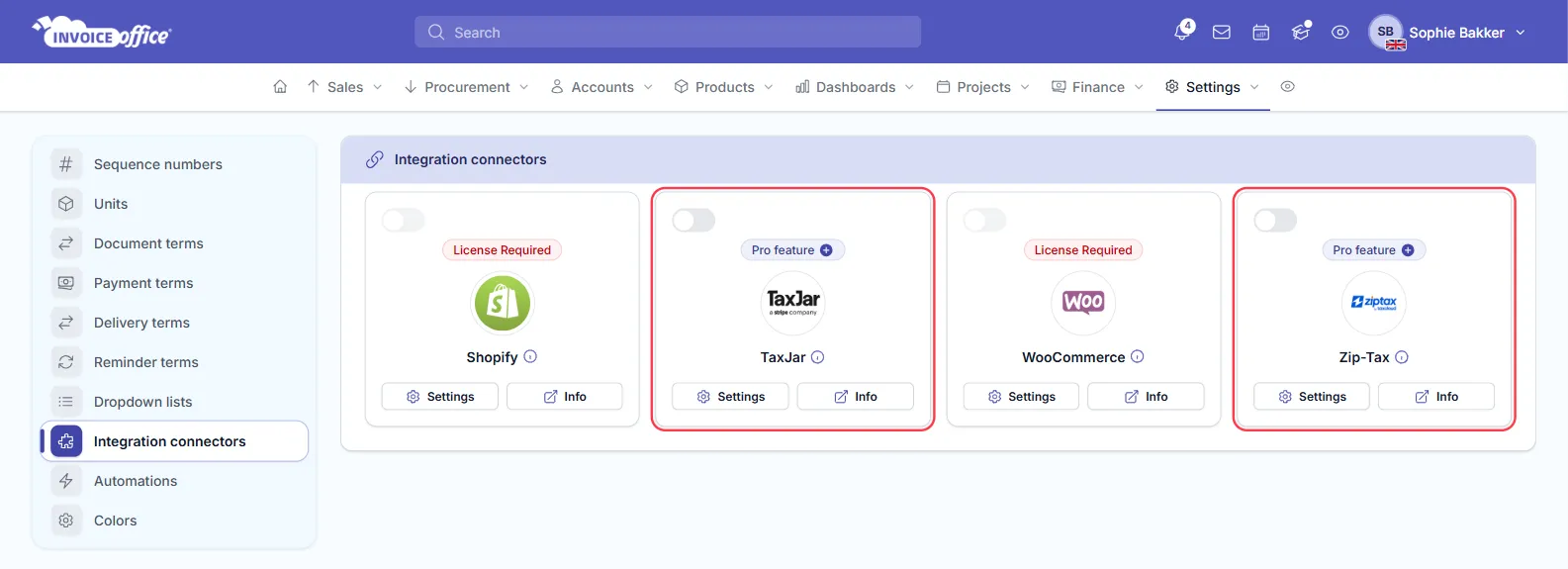
- Go to Settings → Integration connectors.
- Click Settings on the TaxJar or Zip-Tax tile. Both are marked Pro feature: you need a paid licence to switch them on.
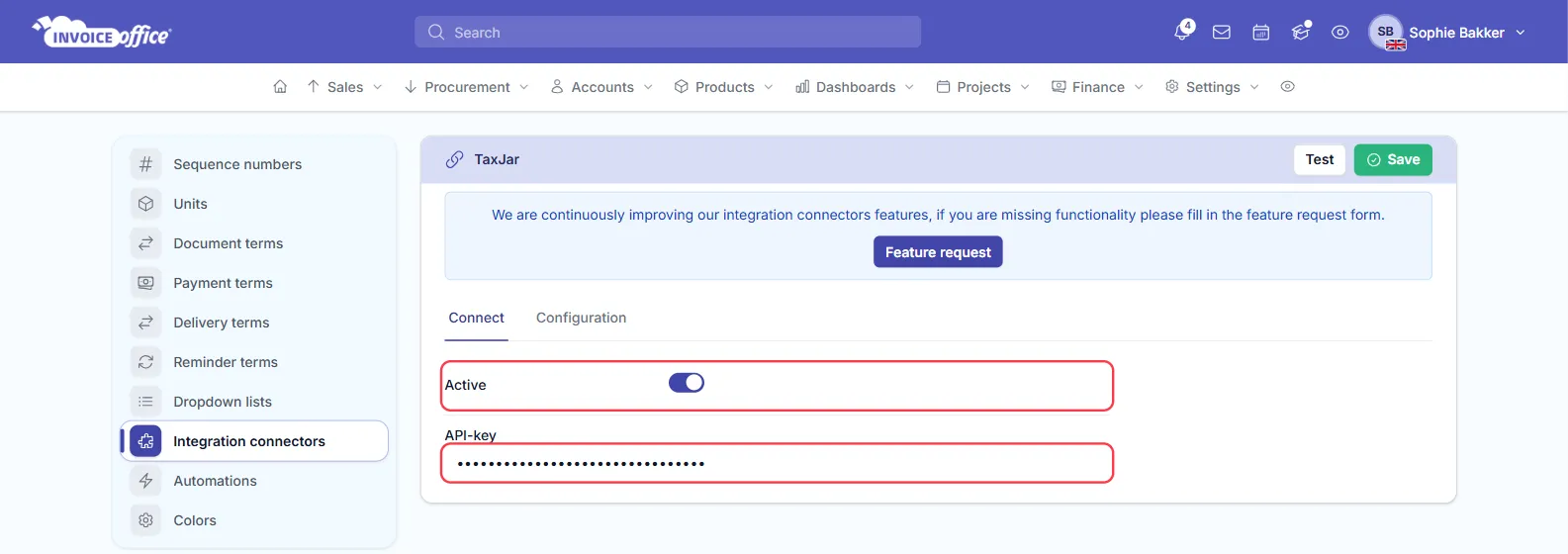
- On the Connect tab, switch on Active and paste the API-key from your TaxJar or Zip-Tax account. The Configuration tab needs nothing.
- Click Save.
You only need one. If both are active, Invoice Office uses Zip-Tax, and doesn’t fall back to TaxJar when Zip-Tax can’t return a rate.
How the sales tax rate is chosen
When Invoice Office creates a document with a customer in the United States already filled in, for example an invoice started from the customer or an order from a connected webshop or the API:
- It sends the customer’s ZIP code, state, city and street to the connector. Each is taken from the delivery address, or from the billing address where the delivery address doesn’t have it. Without a ZIP code no rate is looked up.
- The connector returns the combined rate for that address: state, county and city together.
- Invoice Office creates a sales tax code for that ZIP code, named for example US-90210 and described as Sales Tax (CA), with the combined rate. It reuses the code, and refreshes its rate, on later documents for the same ZIP code. The code is booked to your tax-payable ledger account and listed under Settings → Sales tax codes (VAT codes if your Invoice Office isn’t in US English).
Customers outside the US are not affected. If no connector is active, or the connector can’t return a rate, your normal codes are used.
Keep customer addresses complete
The rate is only as good as the address. Make sure US customers have a ZIP code, and ideally a state, on their delivery or billing address before you invoice them. See how to manage customer addresses.