If a customer needs their own layout — a different logo, a co-branded invoice, a specific set of conditions — set the design on their customer record once, and it is chosen for you every time.
Set a design on a customer
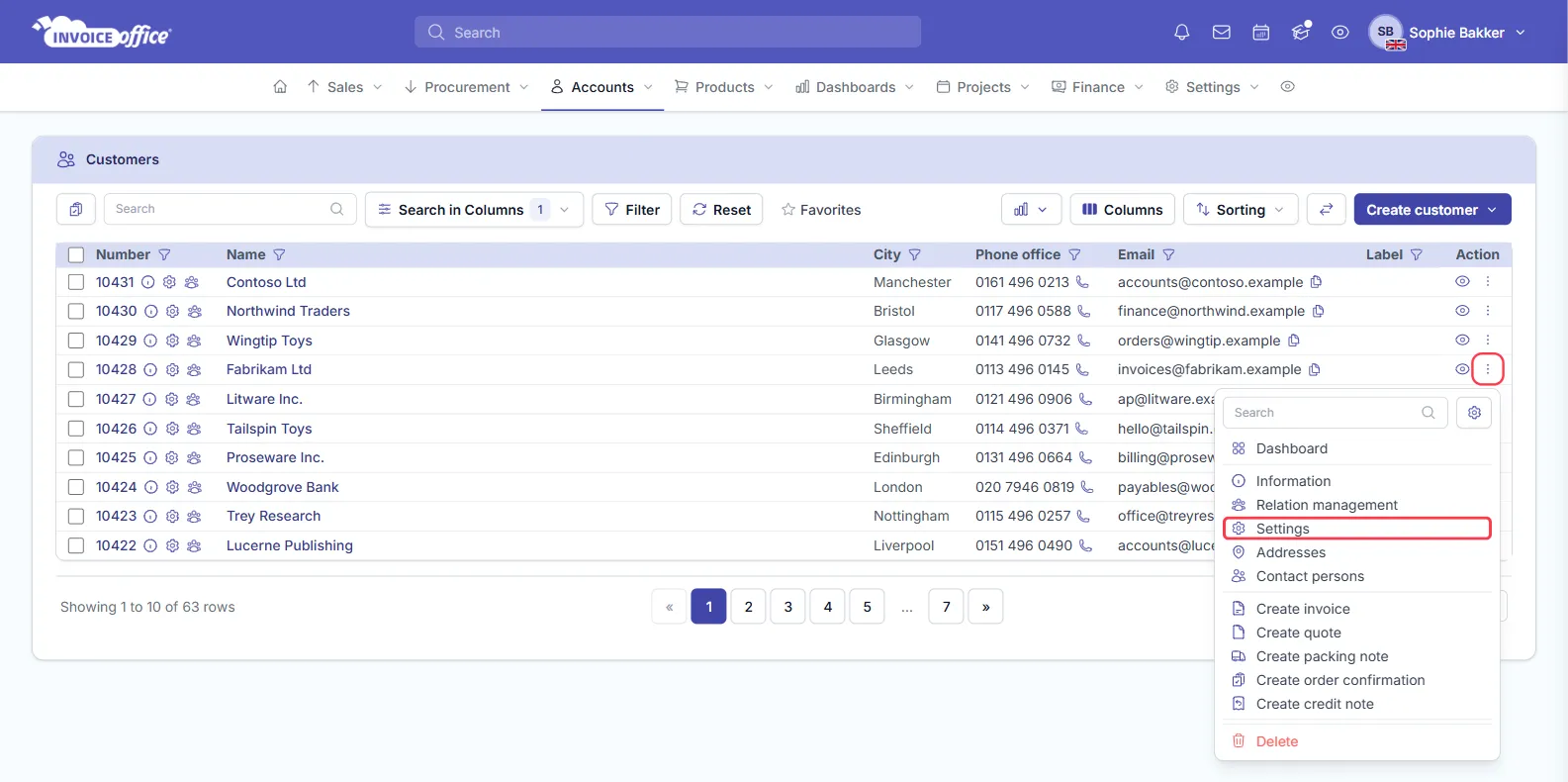
- Go to Accounts → Customers and find the customer.
- Open their Action menu — the ⋮ in the Action column — and choose Settings. The gear icon beside the customer number opens the same page in one click.
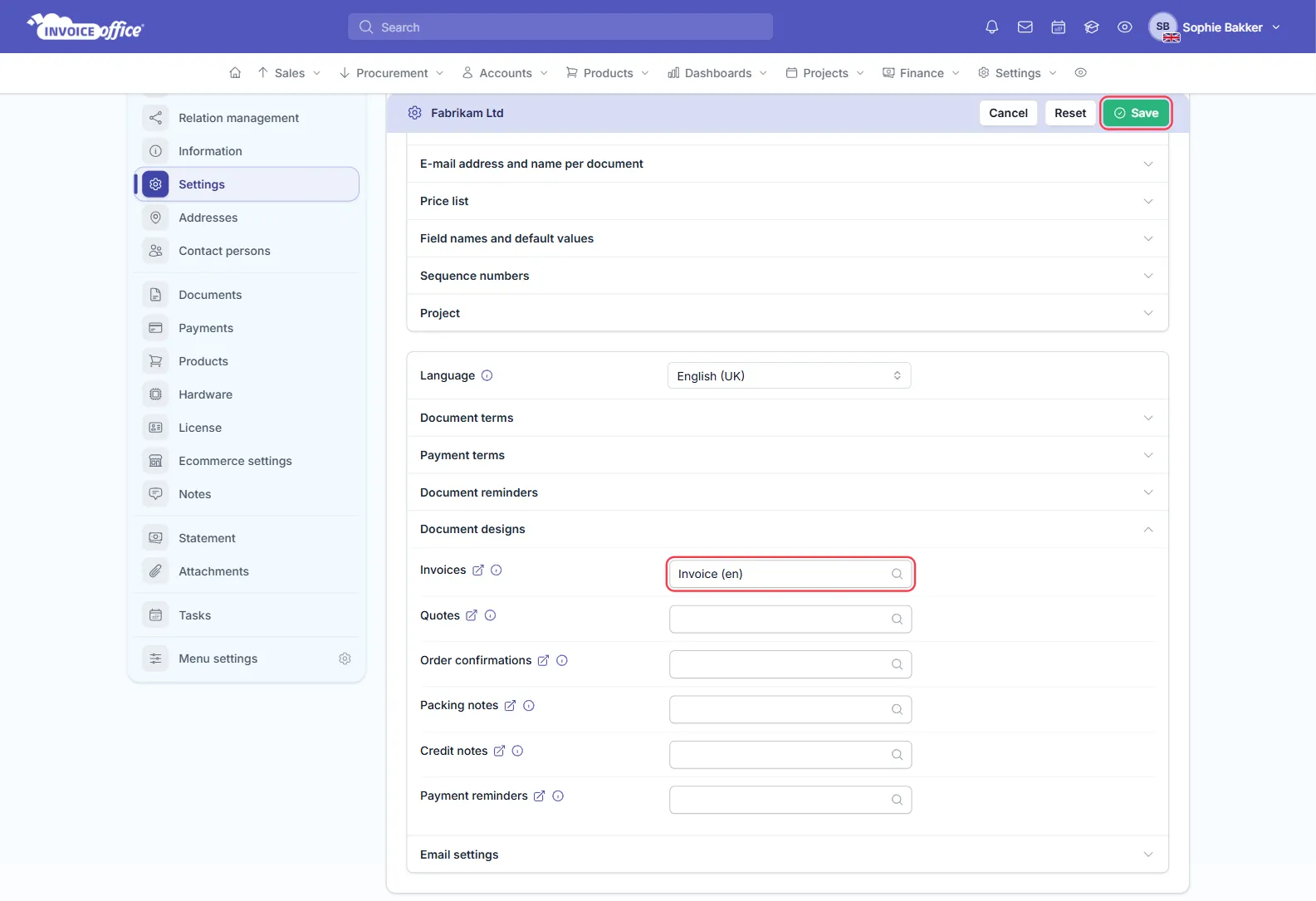
- On the Customer document settings page, open the Document designs section.
- Pick a design for each document type you want to override, then click Save.
It is set per document type
The section lists the document types separately — Invoices, Quotes, Order confirmations, Packing notes, Credit notes and Payment reminders — each with its own selector and an info icon that reads “Apply this … document design for this customer”.
Choosing a design for one of them makes it the default for that document type for this customer only, so you can give someone a bespoke invoice while their credit notes keep using your standard one. Leave a type empty and it falls back to your normal design.
The list you pick from names each design with its language, as Invoice (en) or Default (en), so
check you are choosing the right language as well as the right layout.
The rest of the customer’s document defaults
The same page is where the customer’s language, document terms, payment terms, document reminders and email settings live, and — in the panel above them — their currency, VAT code and profit account, the e-mail address and name per document, price list, field names and default values, sequence numbers and project rates. If you are setting up a customer who needs special treatment, it is worth going through all of them in one pass.
What happens when you create a document
Select that customer on the document create page and their design is applied automatically — you do not have to remember which layout belongs to whom. See Use a document design in your invoice.
For any other information, contact us.