A discount is quick to add, but the Discount column has to be switched on before it appears. Once it is on, you choose per document whether the discount sits on one product line or on the invoice total, and whether it is a percentage or an amount. The software does the calculation.
Switch the discount column on
On the document, click the ⋯ button at the top-right of the product table and choose Display Columns. A panel opens on the right listing every column, split into the ones currently shown and the ones inactive. Find Discount under the inactive ones and switch it on.
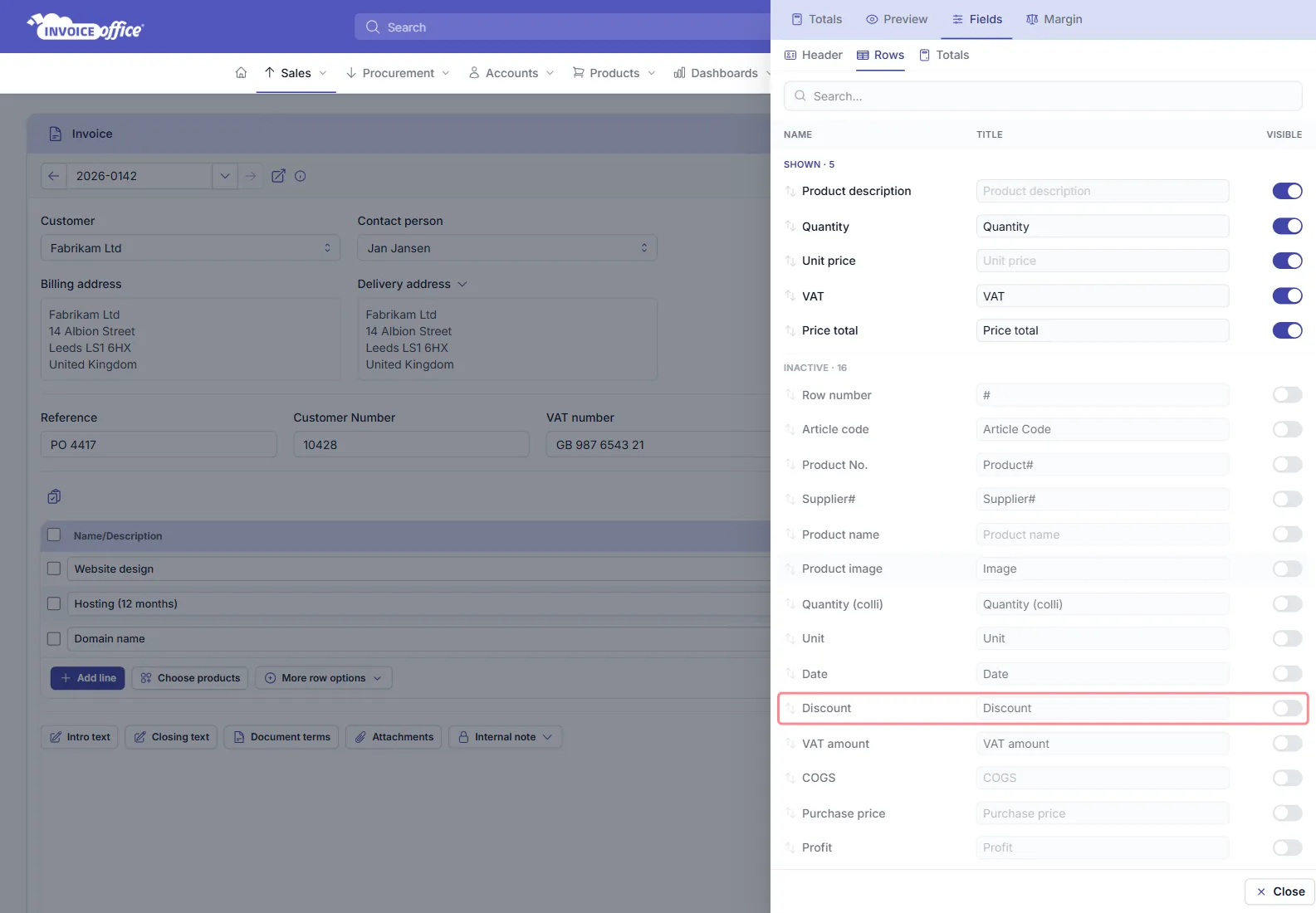
The same panel has Header, Rows and Totals tabs — the Totals tab is where you switch on a discount that applies to the whole bill rather than to a single item; it prints at the bottom right of the invoice, under the totals.
To have the column on every invoice rather than only this one, set it in your document design instead.
Add the discount
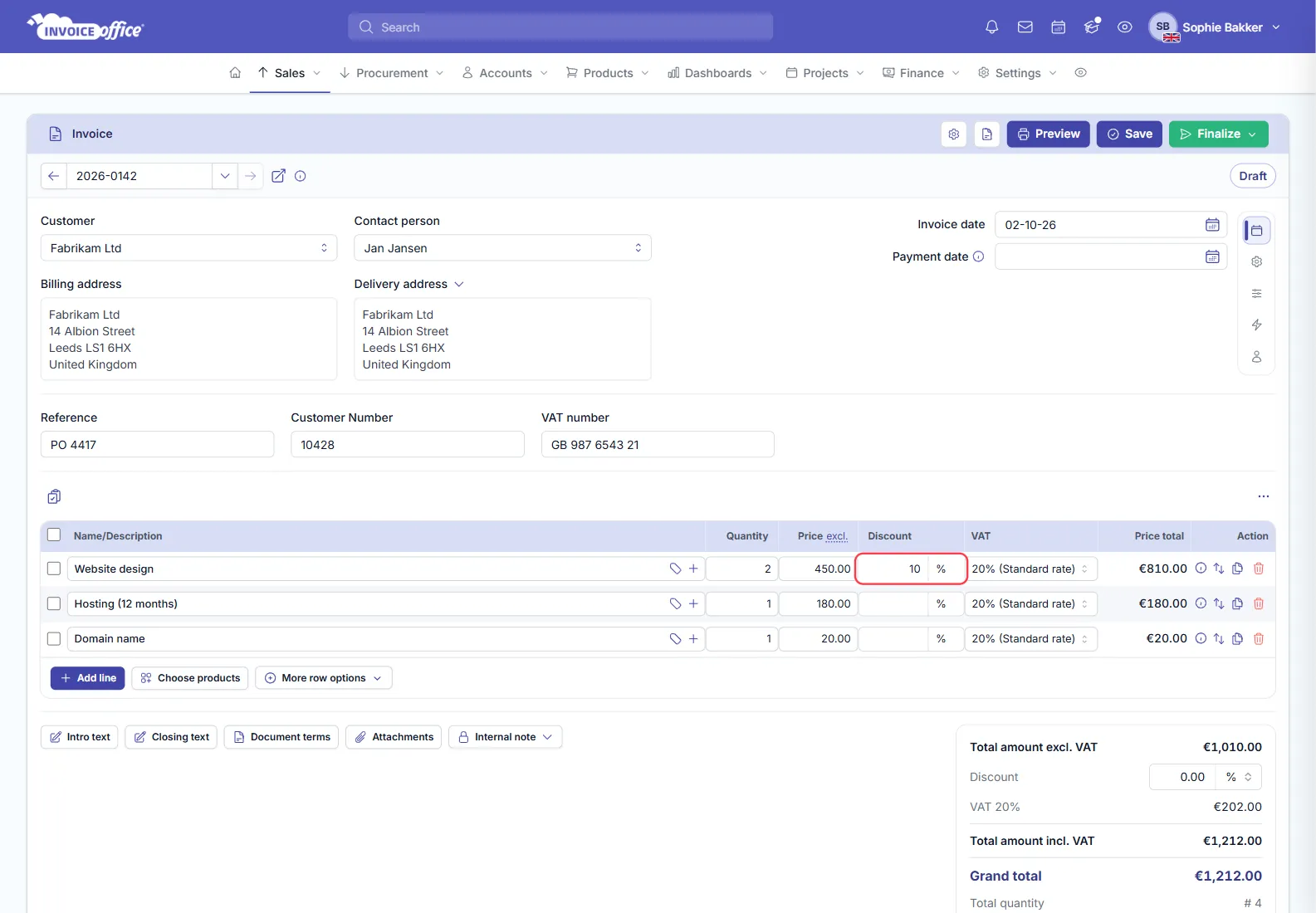
With the column on, a discount field appears in the product row, with a % / € selector beside it:
- Set whether it is a discount percentage or a discount amount.
- Enter the percentage or the amount.
The line total, the VAT and the document total recalculate straight away — there is nothing to work out by hand. The totals panel carries its own Discount field, also with a % / € selector, for a reduction on the whole bill.
Line discount or total discount?
| Situation | Use |
|---|---|
| One item is discounted | Discount on the product line |
| The whole bill is reduced by an agreed rate | Discount on the totals |
| Reward for paying quickly | Payment discount |
A line discount keeps the reduction next to the item it belongs to — clearance stock, a sample, an agreed rate on one product. A totals discount relates to the entire bill, which is the honest way to show a goodwill gesture or an overall reduction that would look arbitrary against one line.
A payment discount is different again: it is the reduction the customer earns by paying within a set period, the “2% if paid within 8 days” arrangement. It is not deducted up front — it only applies if they pay in time.
Set a default discount percentage
If you give the same discount regularly, you do not have to type it on every document. Set a default discount percentage under Settings → Other settings → Document terms, and new invoices and quotes start with it already filled in.
A discount for one customer, every time
If a particular customer always gets the same rate, a price list is better than discounting every invoice by hand. Their prices then come out right from the start and the invoice does not need a discount line at all.
Any doubts? Contact us and we will help.