If you want to give a customer a discount, create a price list rather than discounting every single product. Whatever discount you set on the price list applies to all products.
Create a price list
- Go to Products → Price lists.
- Click Create price list.
- Enter the Name of your price list.
- Select the Currency.
- Set the Discount — the amount, and next to it whether it is a % or a €.
- Click Create.
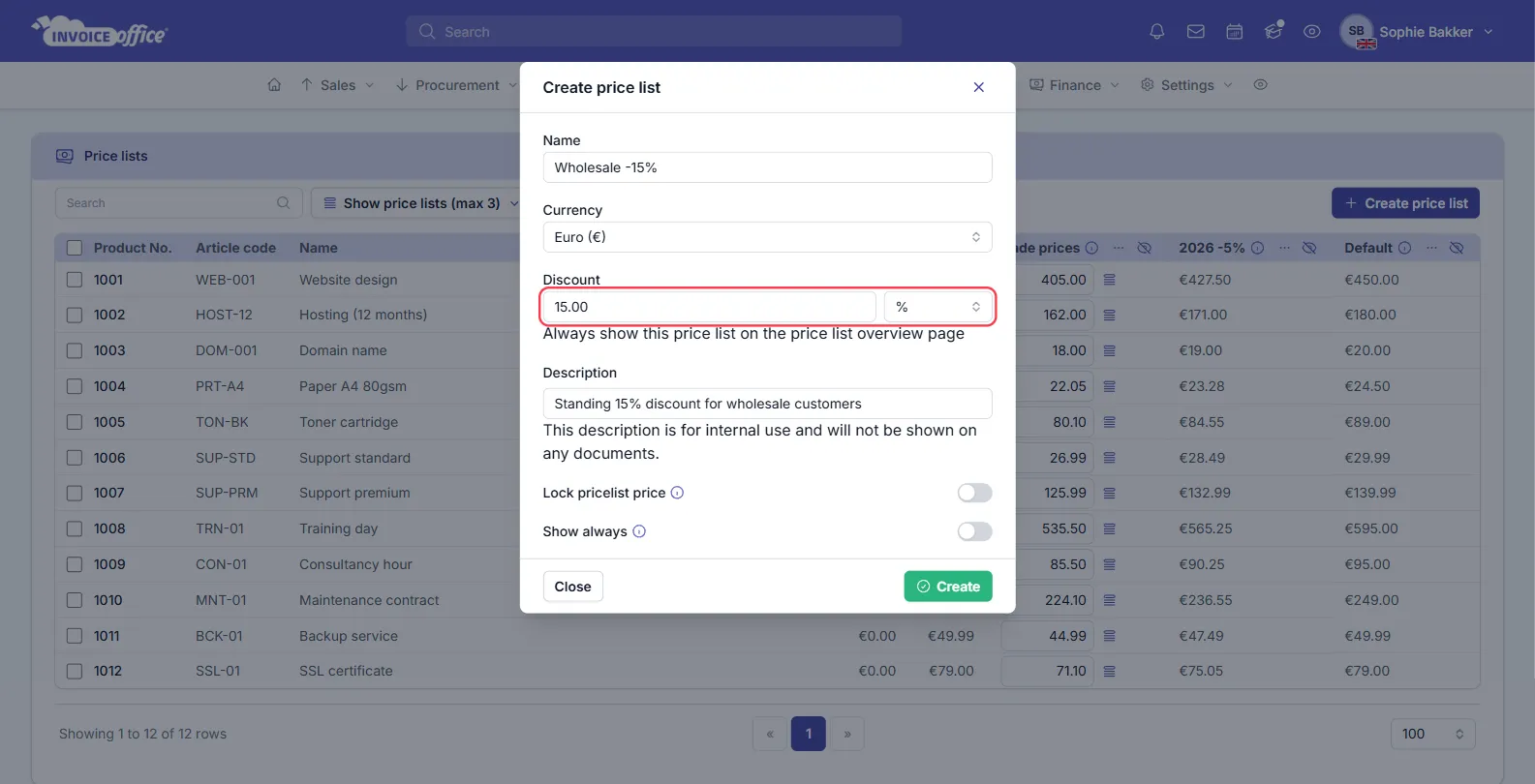
Discount percentage or discount price
- % — the percentage is applied to all of your product prices.
- € — the currency symbol instead, and a fixed amount is deducted from all of your product prices.
Both kinds can exist side by side, so you might end up with one list on a percentage and another on a fixed amount, and use whichever suits the customer.
Two switches are worth knowing about:
- Lock pricelist price — do not update the prices on this list when the product price changes. Use it when a customer has been quoted a fixed rate for the year.
- Show always — always show this price list on the price list overview page.
The Description is for internal use and is never shown on a document.
Working with the list
The overview shows your products with their Purchase and Sales price, then one column per price list — up to three at a time, chosen with Show price lists (max 3). Prices can be typed straight into those columns.
Each price list column has its own Action menu: Edit, Apply price rule, Apply price rule to selected, Hide, Create duplicate, Import, Export and Remove.
Link a price list to a customer
A price list can be associated with a specific client. When that customer is chosen on a document, their price list is applied to it.
- Go to Accounts → Customers and find the customer.
- Open the row’s Action menu and choose Settings.
- Find Price list and choose the price list for that client.
- Save.
Now choose that customer when you create a document such as an invoice, and the price list is applied to it straight away.
Price list or discount?
Use a price list for a standing arrangement — a customer who always pays a different rate. Use a discount for a one-off reduction on a single document.
Any doubts? Contact us and we will help.