Yes. If you want to clear out test invoices and test data, or start your accounting again with the standard settings back in place, you can reset your entire account yourself.
Beware: you lose all your data. Invoice Office puts the account back to the state it was in the moment you registered — every document and every setting you have changed is deleted, and it cannot be undone.
Reset your entire account
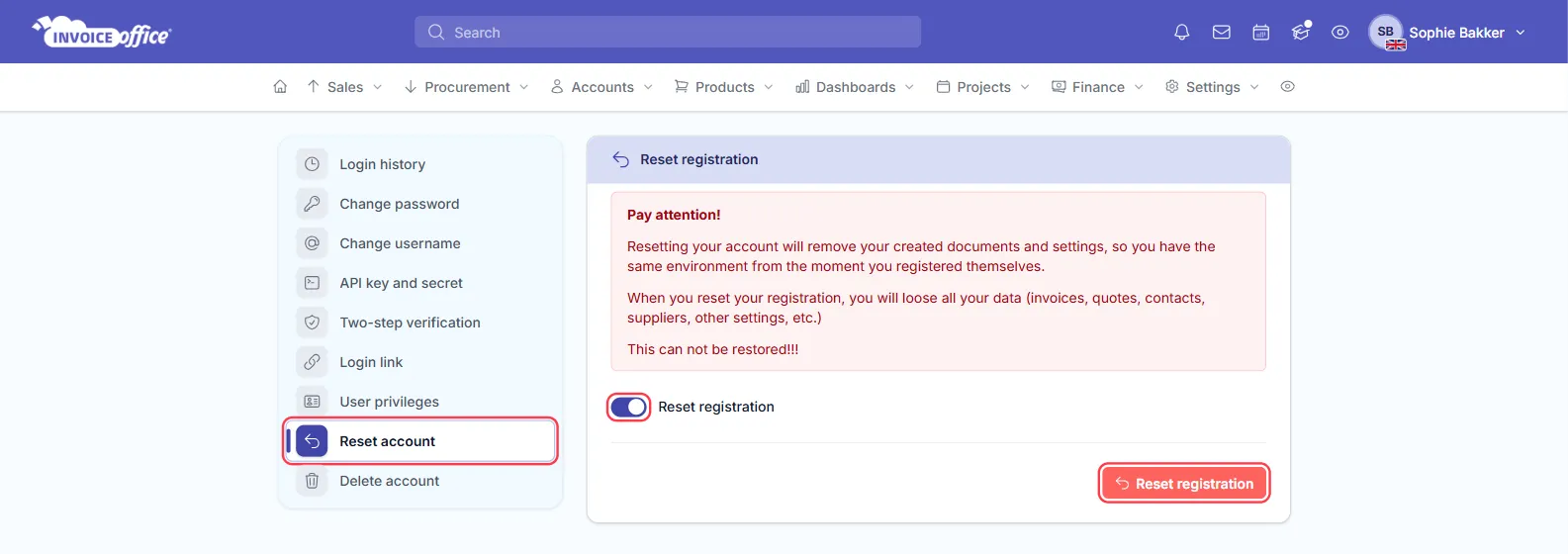
- Go to Settings → Security center → Reset account. The page is titled Reset registration and opens on a red warning spelling out what you are about to lose.
- Switch Reset registration on. Nothing happens yet — the switch is what arms the button below it.
- Click the red Reset registration button. This does not reset anything: it emails you a verification code.
- Enter that code in Verification code. Resend code is there if it does not arrive.
- Click Approve. Only now is the account reset.
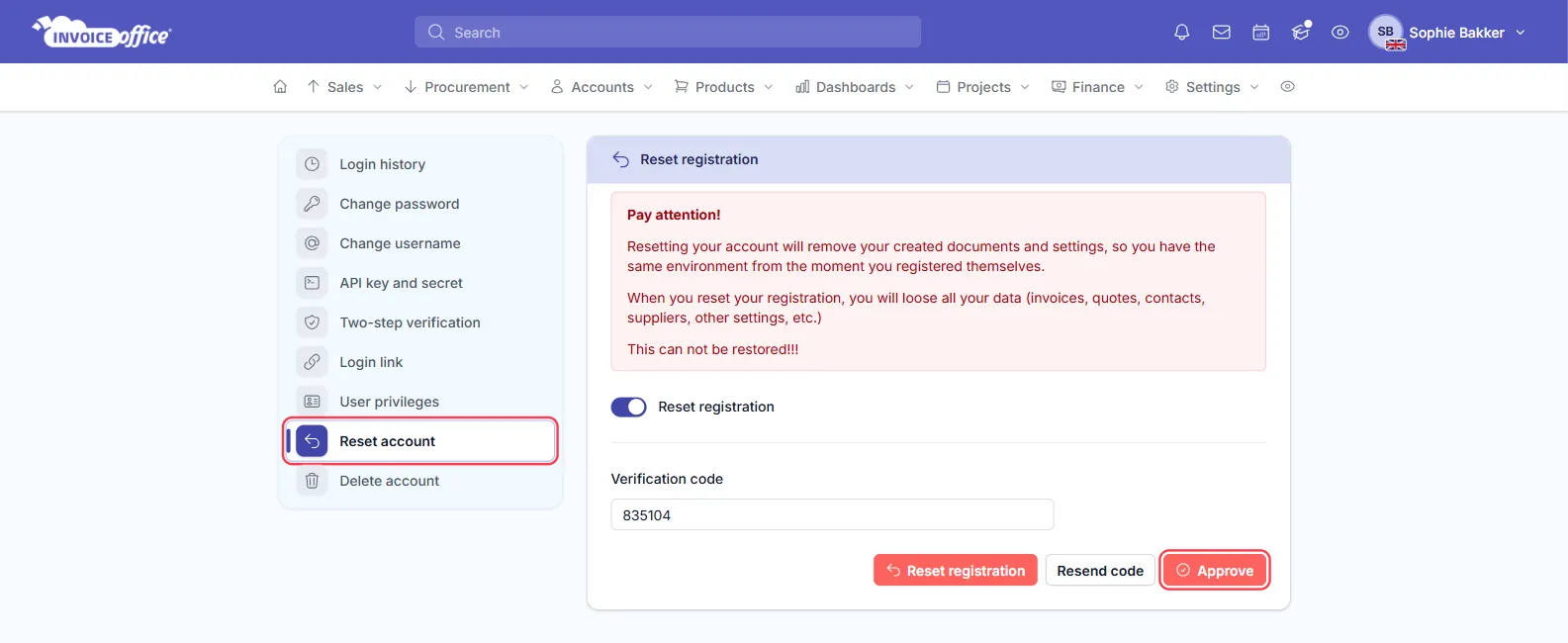
Your account is then completely reset — all created documents and settings have been deleted.
The verification code is deliberate: it means a stray click cannot wipe your books, and that whoever resets the account has access to its email address. The same confirmation guards changing your password.
Before you reset
- Finalised documents are not test data. Once an invoice is finalised it exists in your books, and in most countries you are not permitted to delete it. If you have issued anything for real, correct it with a credit note instead.
- Export anything you might want to keep. Once the reset runs, it is gone.
- A reset is all or nothing. If you only need to remove a handful of test records, delete them from their overviews instead — see Delete documents.
- A reset is not the same as deleting your account. Delete account sits directly below Reset account in the same menu and closes the account itself — see how to delete your account. A reset keeps your login and your company; it only empties them.
Removing just a few test records
For a handful of rows, delete them from their overviews rather than resetting the whole account. Bear in mind that this leaves gaps in your numbering: if you want your first real invoice to be number 1, set the number sequence rather than relying on deletions.
If you would rather we looked at it with you first, contact us.