The delivery date is when the goods or services actually reached the customer, as opposed to the date on the invoice. Plenty of businesses have to show it, and in several countries it is required. It is switched on from the document you are working on. An invoice is used as the example here, but it works the same way on other documents.
Turn the delivery date on
- Go to Sales and click the + on Invoices to start one.
- The delivery date is off to begin with. On the product table, click the ⋯ button and choose Display Columns.
- In the panel that opens, go to the Header sub-tab and scroll to Delivery date under INACTIVE. Switch its VISIBLE toggle on.
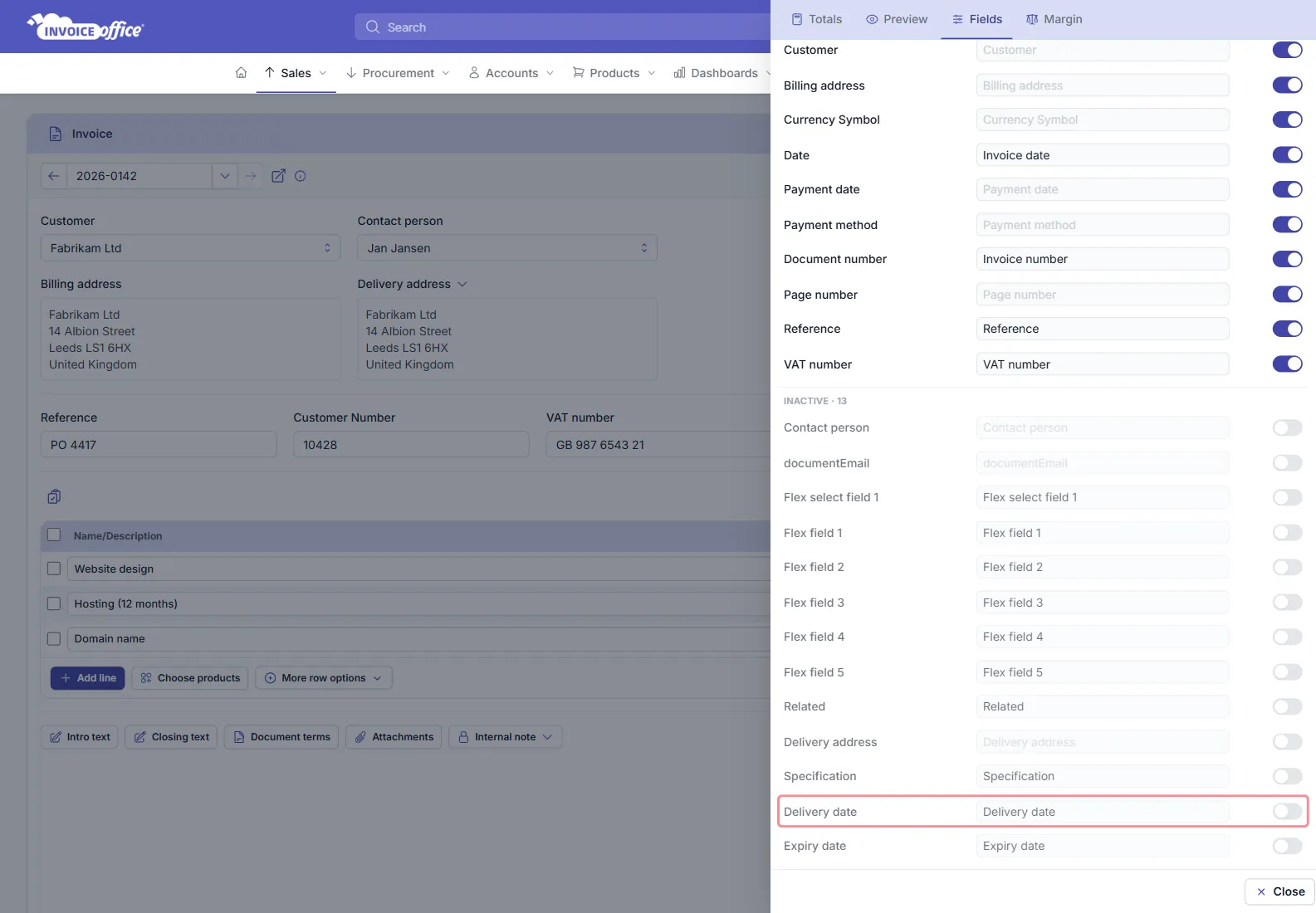
The delivery date field is now on the document, prefilled with today’s date.
Expiry date sits directly below it in the same list, and works the same way.
Fill it in
With the field switched on, enter the delivery date on the document while you are creating it. The PDF of your document then shows the delivery date.
If the heading should read something else — Date of service, say — the TITLE field beside it in that same panel is what is printed; see How to change the label name.
Getting it right
- On a packing note it is the date the goods leave you.
- On an invoice it is when the customer received the goods or the service was performed — which is what tax authorities generally care about, and which can fall in a different VAT period from the invoice date.
Any doubts? Contact us and we will help.