A unit is what a quantity is counted in on a document line: hours, pieces, kilos, boxes, licences, days. Invoice Office ships with the common ones, and it also lets you use units you create yourself.
Open your unit settings
Go to Settings → Units. It sits with the other company settings, between Sequence numbers and Document terms.
Document lines take their units from the products on them, and this is where all of those units are managed. The units Invoice Office predefines can be edited here too, not just your own — they are the rows flagged Is system.
Add your own unit
- Click Add line in the top right of the card — a new, empty row appears at the bottom of the table.
- Fill the row in.
- Click Save.
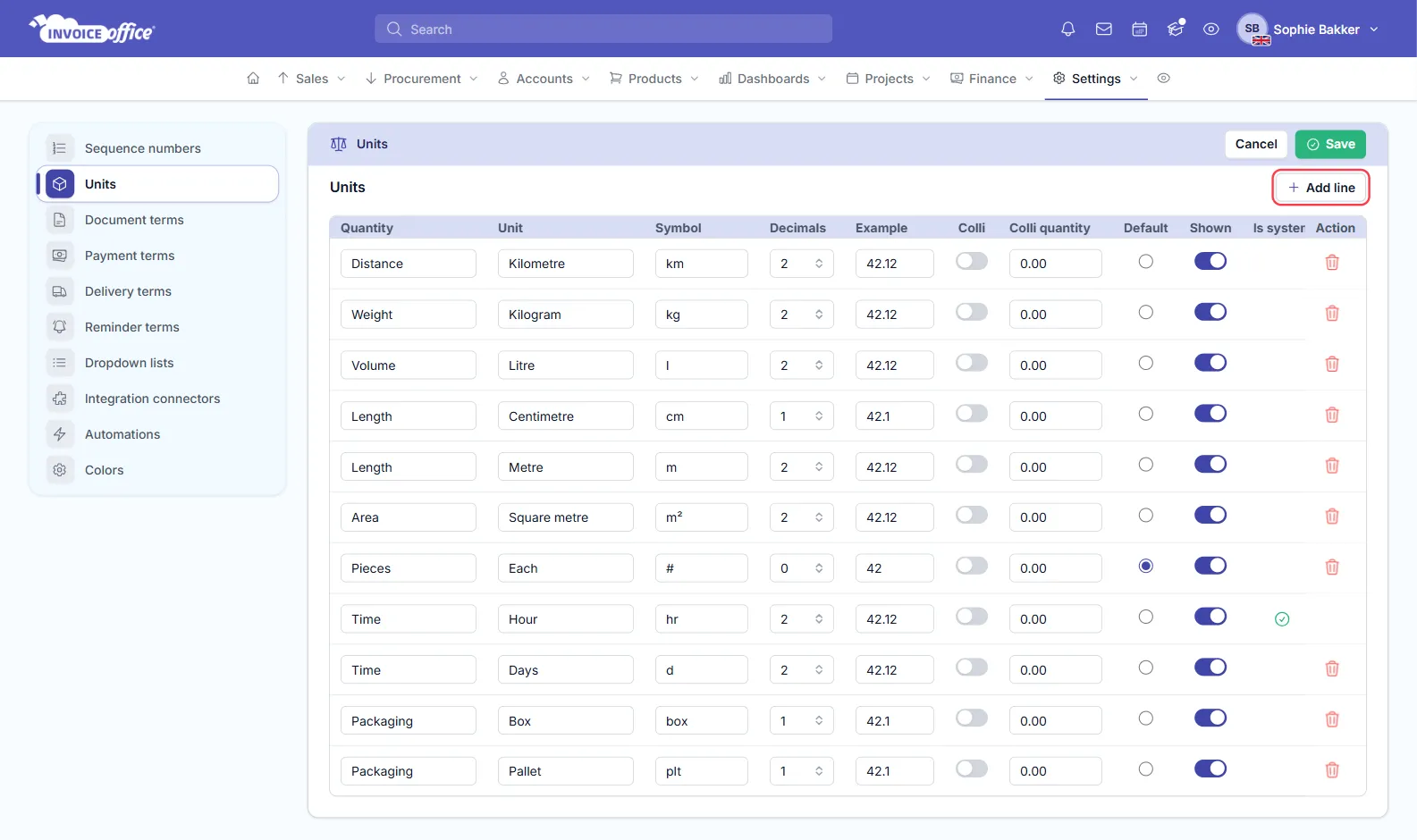
Each unit is a row of its own:
- Quantity — the kind of thing being measured (Length, Weight, Time, Packaging…).
- Unit and Symbol — the name, and the short form printed on the document.
- Decimals — how many decimal places the quantity is shown to. Example previews the result, so a unit set to 0 decimals reads 42 and one set to 2 reads 42,12.
- Colli and Colli quantity — for units sold in packs.
- Default — the unit new product lines start with. Shown controls whether it appears in the unit picker at all.
Your new unit can then be selected in documents. The red bin at the end of a row deletes a unit you added; Cancel discards everything since your last save.
Set the unit on the product
Set the unit on the product itself rather than picking it each time. Every line created from that product then carries the right unit, and your invoices stay consistent without anyone having to remember — see Creating and managing products.
Why it is worth getting right
- The line reads correctly. 12 hours and 12 pieces are very different invoices.
- It matches the quote. If you quoted per day, invoicing per hour invites a query.
- It is printed for the customer. Units appear on the document, so use wording that works for the language the customer receives — see multi-language invoicing.
Any doubts? Contact us and we will help.