The PayPal payment link connector creates a payment link automatically and adds it to your invoice and to the email your customer receives. They pay from the document instead of copying your bank details into their banking app.
Why use a payment link
- Easier for the customer. One click from the invoice they already have.
- Faster payment. Money arrives in seconds rather than after a manual transfer.
- No extra cost. It is part of the Professional plan, so there is nothing more to buy.
- Trackable. Payments can be followed in real time through your PayPal merchant dashboard.
- No technical set-up. A username is all you configure — no developer needed.
- Multiple payment methods at checkout, and PayPal’s own security around the payment.
- No manual work. You never create a payment link by hand.
Set it up
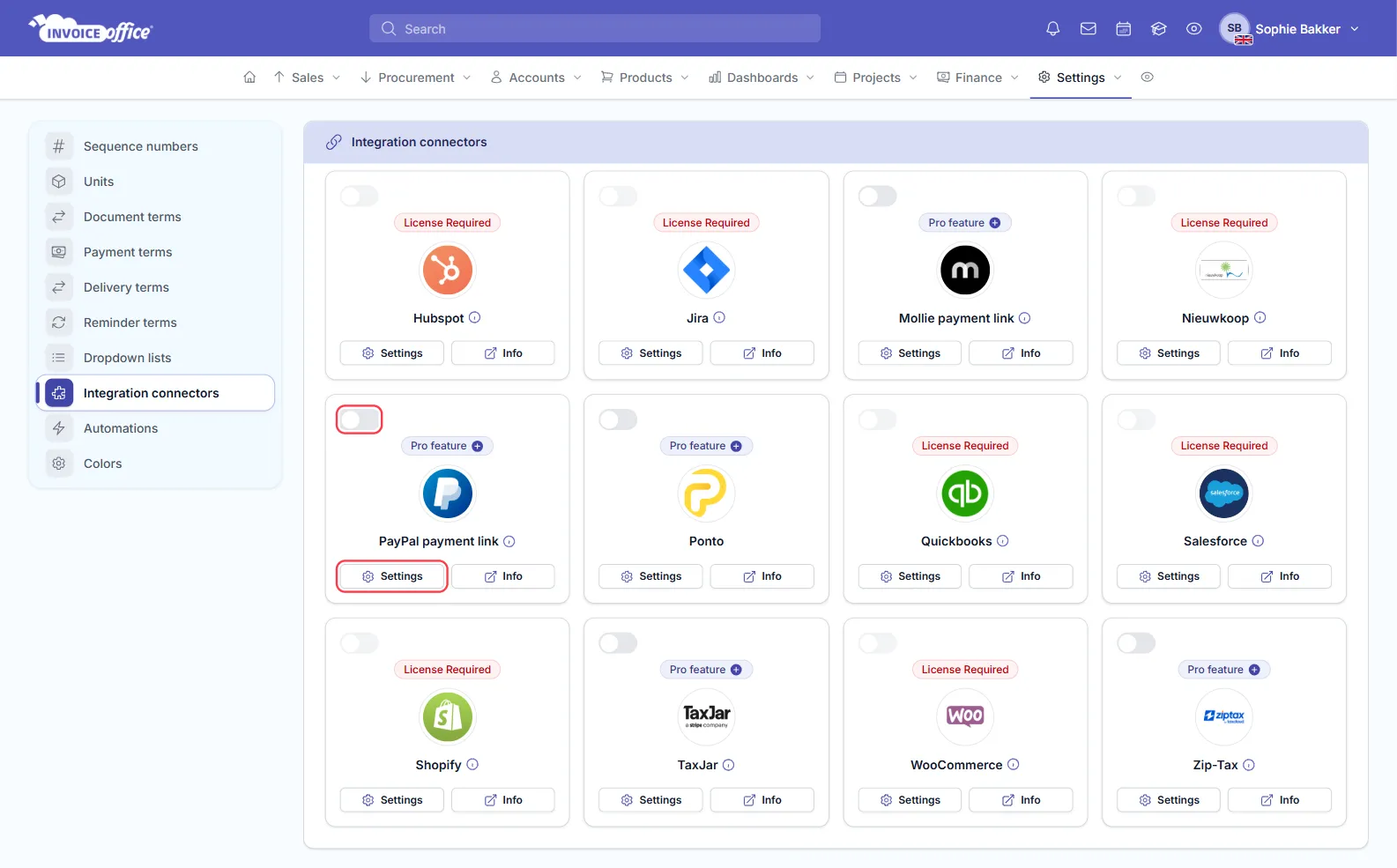
- Go to Settings → Integration connectors.
- Find the PayPal payment link card and click Settings.
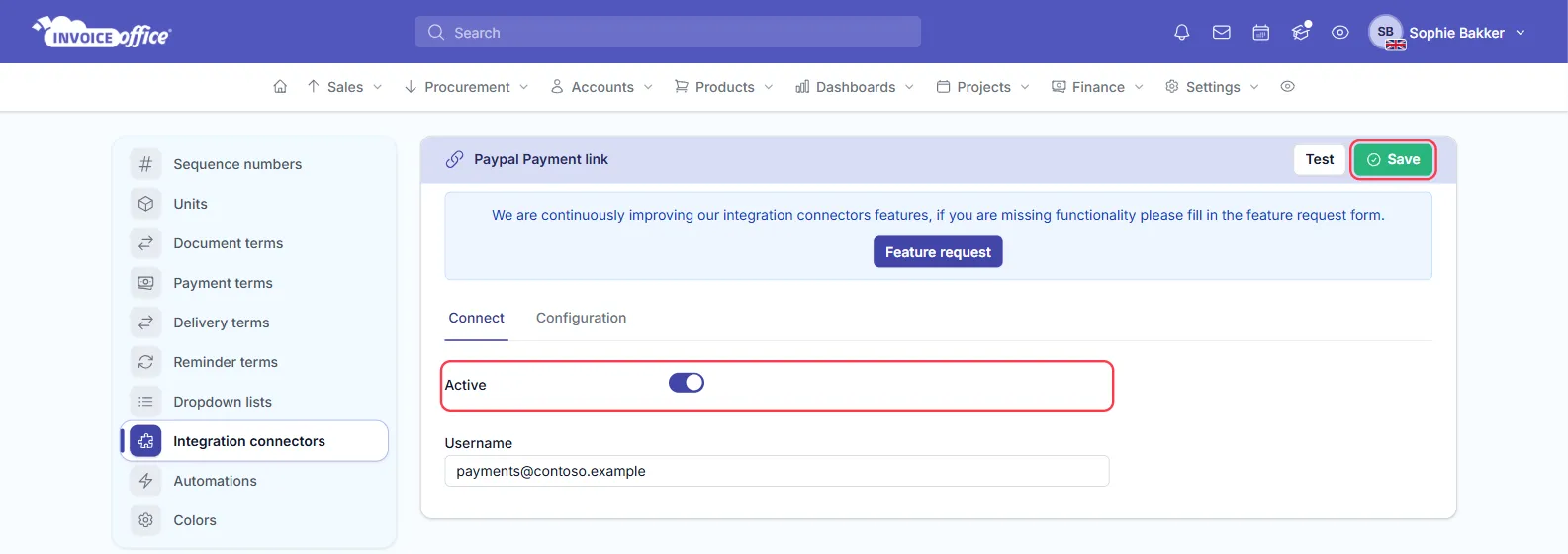
- On the Connect tab, switch Active on and fill in your Username — the PayPal account payments are collected into.
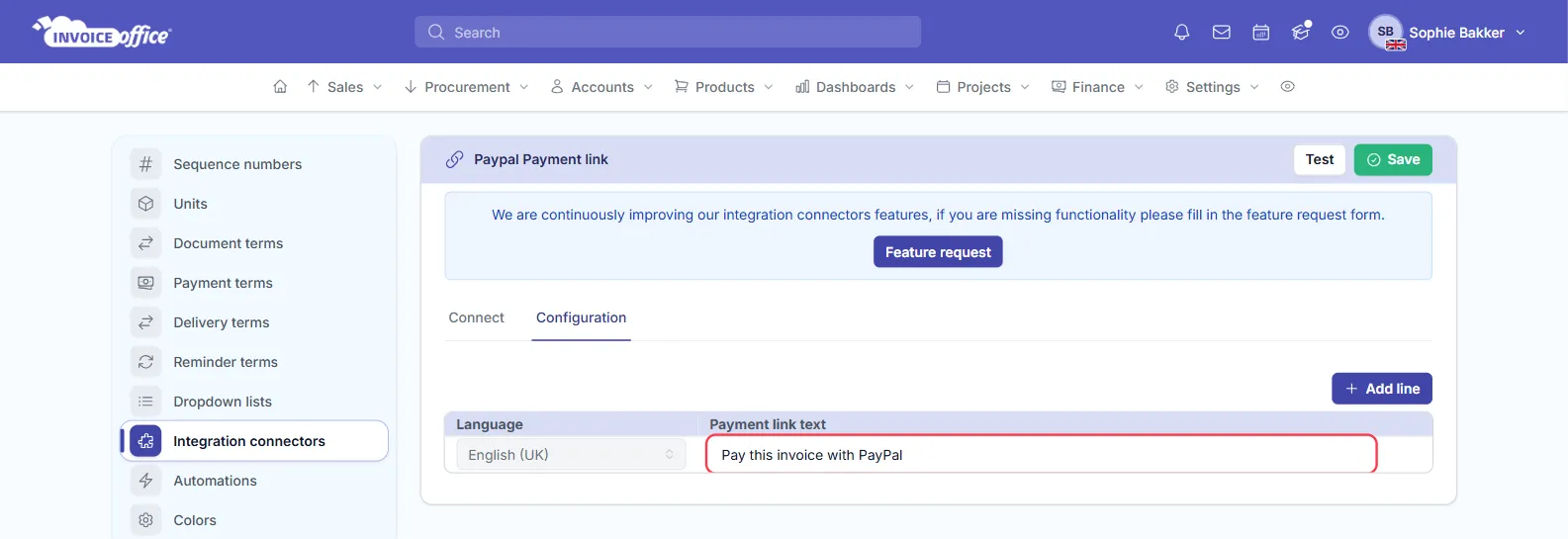
- Open the Configuration tab and set the Payment link text. This is the wording shown as the clickable link on your invoice PDF and in the invoice email, so write something your customer will recognise as “pay here”. It is a table with one row per language — pick the language, type the wording, and use Add line for each further language you invoice in.
- Click Save in the top-right.
That is the whole set-up. To switch it off again later, come back and turn Active off — your username and link text are kept, so turning it back on is one click. The card’s own switch on the connectors page does the same thing.
Test, beside Save, checks the connection without waiting for an invoice.
Where the link appears
Create an invoice as usual. The PayPal payment link is added automatically to the invoice footer text, below the document line table, and shown in the email text your customer receives.
What is my PayPal username?
Two ways to find it:
- Log in to PayPal. Once you are logged in, your username is shown at the top of the page.
- Check your email. The confirmation you received when you created your PayPal account contains your username.
Why is the payment link missing on a concept invoice?
The connector creates the payment link when you finalise an invoice, not while it is in concept.
That is deliberate. The link has to carry the actual, final invoice total — and generating one for every draft would create a pile of unwanted payment links in your PayPal account. Finalise the invoice and the link is there.
Why can’t I enable the PayPal payment link?
The payment link needs a Professional plan. Check which plan your subscription is on: if you are on Basic, you can upgrade online and the change takes effect straight away.
After they pay
A payment made through the link still needs to be registered against the invoice so your books stay correct — see How do I register a payment?. Once the invoice is settled it stops being overdue, and no further payment reminders are raised for it.
Any doubts? Contact us and we will help.