When an invoice has not been paid on time, you can create and send a payment reminder. It references the original invoice, asks for what is still outstanding, and can carry an administration fee or interest on top. There are two ways to create one.
Option A — Sales → Payment reminders
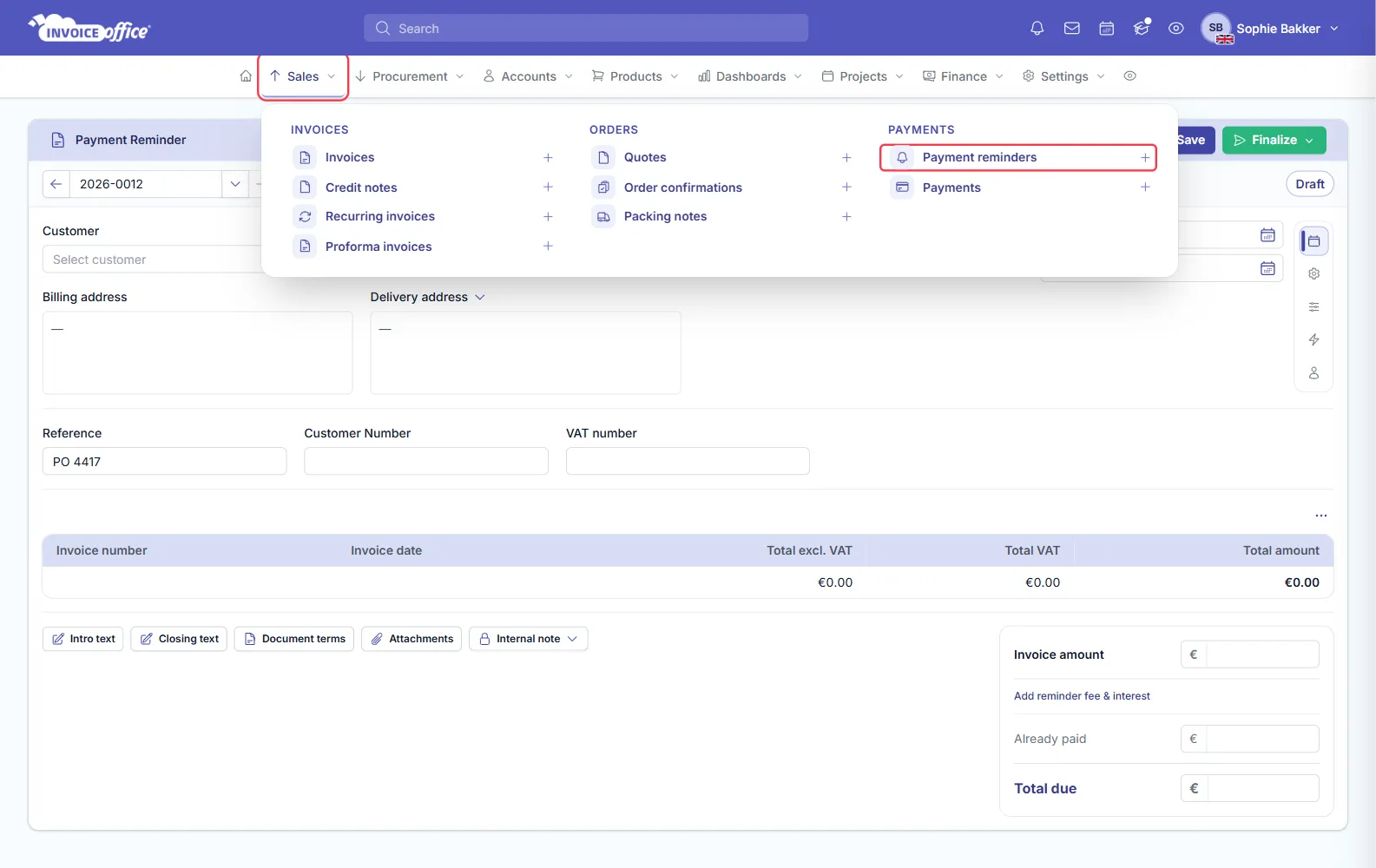
From the menu bar, open Sales and click Payment reminders under PAYMENTS. This is the overview of every reminder you have raised. The plus icon beside it does not open a blank reminder — it takes you to your overdue invoices, because a reminder is always built from one.
Option B — From the unpaid invoice
This is the usual way, and the one to prefer: a reminder built from the invoice already carries the customer, the amounts and the reference.
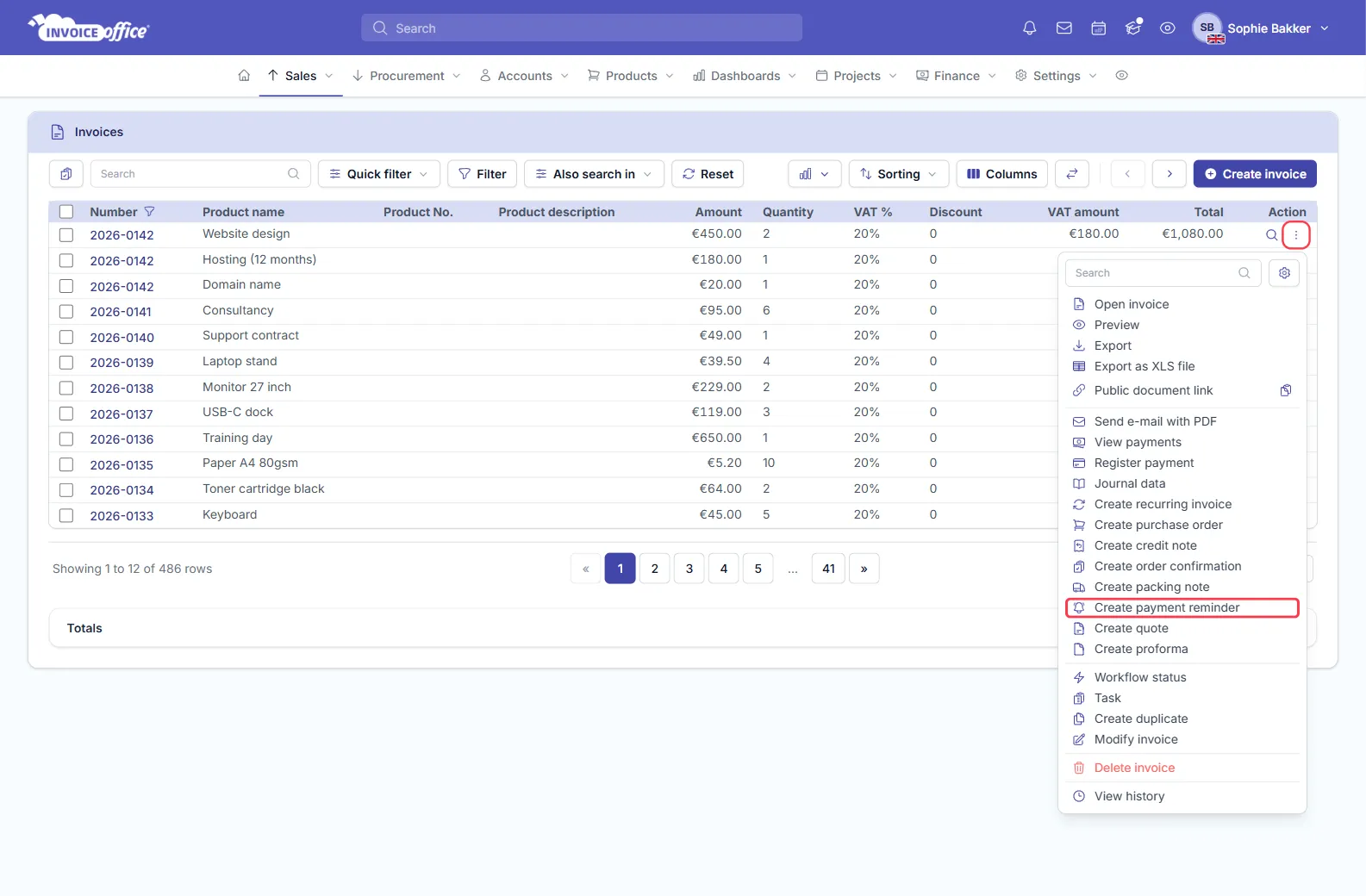
Go to Sales → Invoices, find the overdue invoice, open its Action menu — the ⋮ button in the Action column — and choose Create payment reminder.
What the reminder asks for
The reminder is not simply a copy of the invoice:
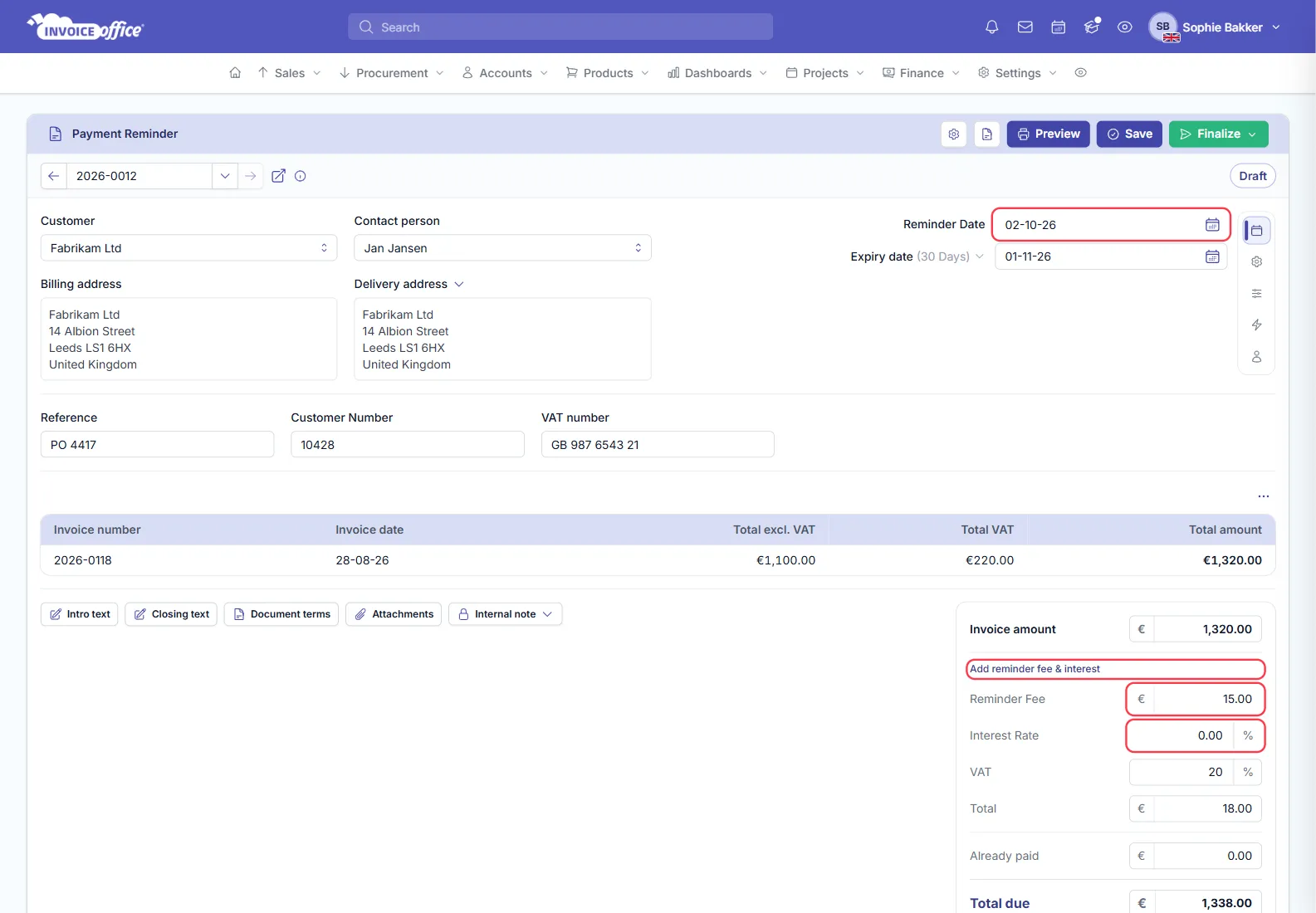
- Any payments already registered against the invoice are deducted — the form totals Already paid and Total due separately, so it asks only for the balance still outstanding.
- A Reminder Fee and an Interest Rate can be added, both taken from the reminder stage in your reminder terms. They sit under Add reminder fee & interest in the amounts box, with the VAT on the fee and its total.
- The invoice the reminder is chasing is listed with its number, date and totals above the amounts.
- The reminder gets its own expiry date, prefilled 30 days out, which decides when the next stage falls due.
Send it
A reminder you create by hand starts as a Draft, so you can check it before anything leaves — see Why do my documents say Draft/concept?.
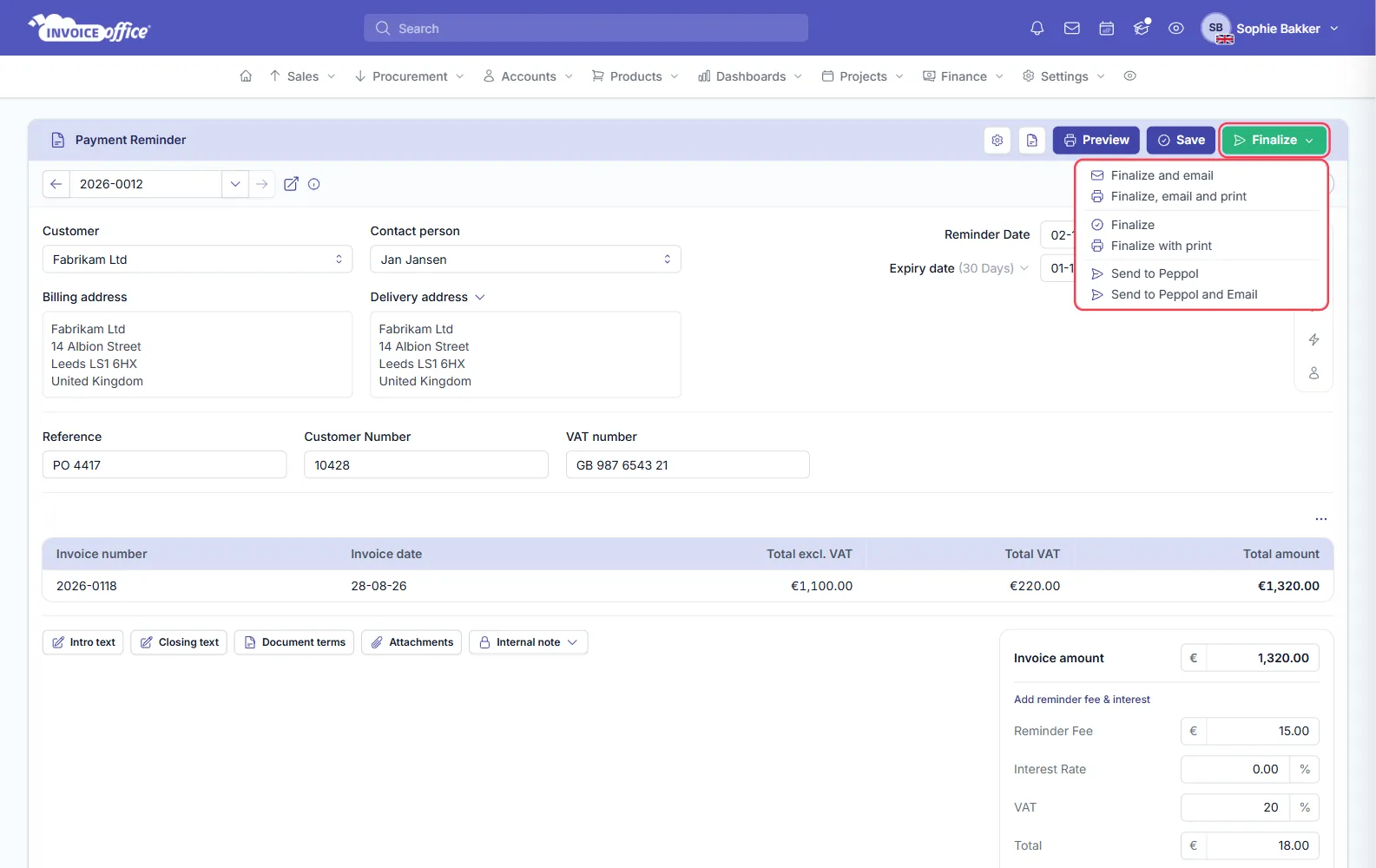
Preview, Save and Finalize sit in the top-right of the card. Finalize opens the same six options as any other document — finalize on its own, with print, with email, all three together, or over the Peppol network.
When emailing, switch on Include invoice to attach the original invoice PDF alongside the reminder — customers query far less when they can see the invoice they are being chased for.
Letting reminders send themselves
You do not have to raise each one manually. In Settings, a set of reminder terms holds a stage for each follow-up, each with its own name, wording, email template, timing, fee and interest. Turn on Send reminders automatically for a stage and reminders at that stage go out on their own once an invoice expires; leave it off and they are prepared as concepts for you to review.
Attach the right set of reminder terms to a customer and every invoice for them follows it.
Once the payment is registered, the invoice is no longer overdue and no further reminders are generated for it.