To set the default currency in Invoice Office, choose it once in your Company settings. Every new invoice, quote and other document then starts in that currency — US dollars, euros, pounds or any other currency in the list. This article explains where the default currency is set, how a currency of your own or a customer’s currency can override it, and what to do when documents show the wrong currency.
Set the company currency
- Go to Settings → Company → Company settings and open the Country tab.
- Choose your Currency Code, for example US Dollar ($).
- Check how amounts are written: Currency format, Show currency symbol, Decimal symbol and Thousand sign.
- Click Save.
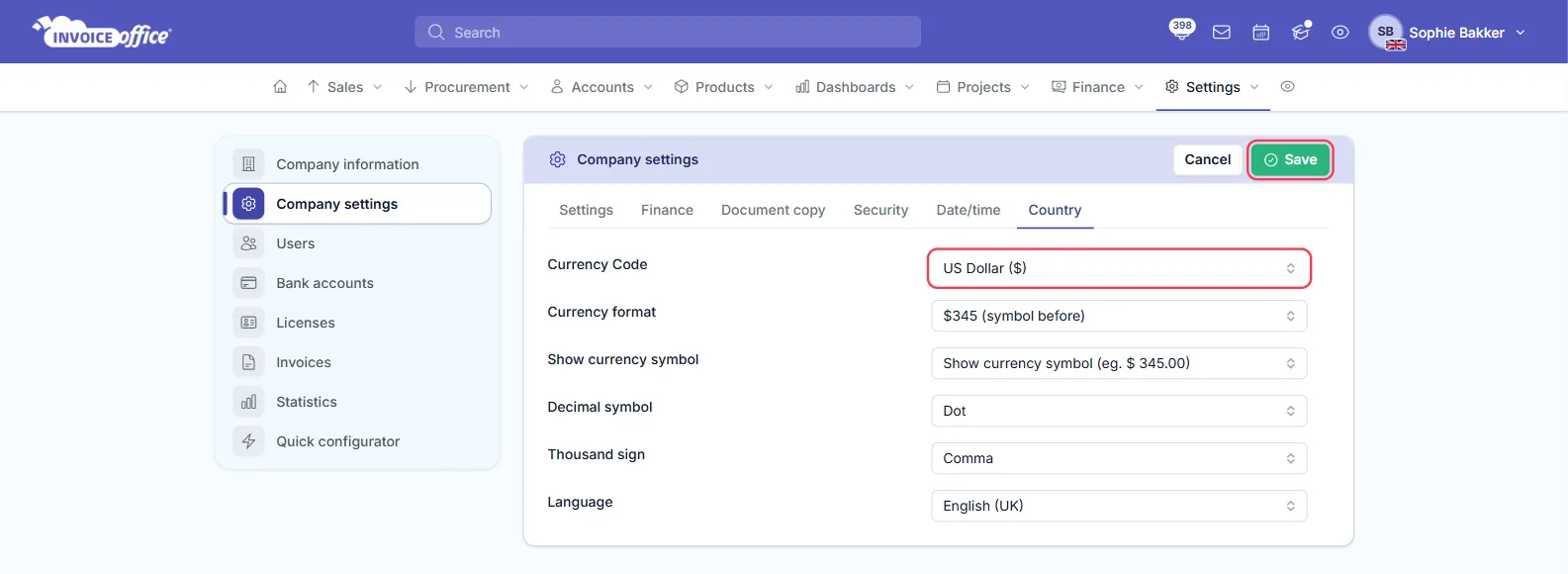
Log out and log in again after changing the company currency, so new documents you create pick it up.
Which currency a new document uses
Three settings decide the currency of a new document. The most specific one wins:
- The customer’s currency — set under the customer’s Settings. When you choose that customer on a document, the document switches to their currency.
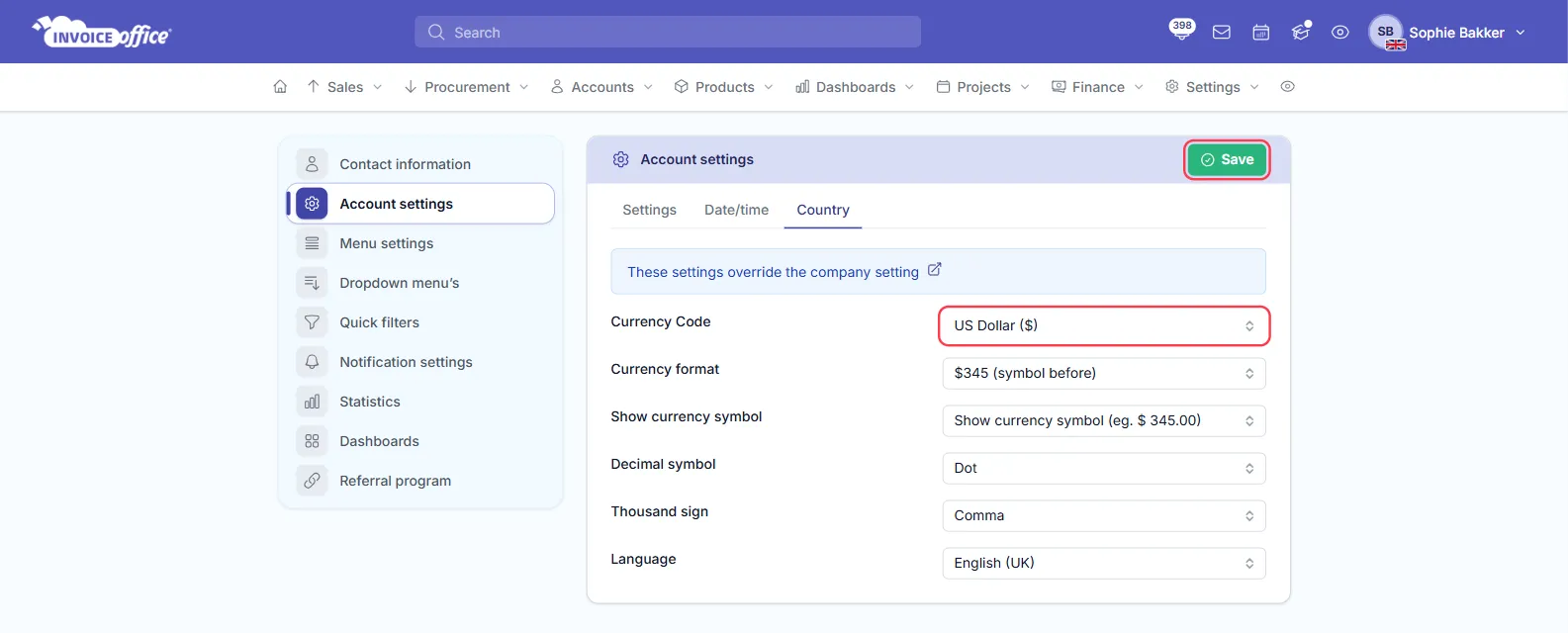
- Your own currency — the Currency Code on the Country tab of your Account settings (your name at the top right → Account settings). The tab says so itself: These settings override the company setting. If you set one, it is used instead of the company currency for the documents you create.
- The company currency — the default for everyone else.
Your Account settings show the company currency when you have not chosen one of your own. If you click Save there, the currency shown is saved as your own, so it no longer follows the company currency. If it should match, keep both set to the same currency.
Documents show the wrong currency
If new documents start in a currency you did not choose — for example Afghan Afghani — check, in this order:
- Company settings → Country → Currency Code is set to your currency.
- Account settings → Country → Currency Code shows the same currency, or the one you want for your own documents. Click Save there.
- Log out and log in again.
Documents that already exist keep their own currency. To correct one, open it, click the third tab in the icon bar on the right of the document (the sliders icon) and choose the right Currency.