To download an invoice in UBL or XML format in Invoice Office, choose Invoice UBL XML in the invoice’s Action menu. You get one file: the invoice in UBL, a standard XML format for electronic invoices. So if your customer asks for “UBL” or for “XML”, this is the file they mean. Their accounting software can read it directly, so nobody has to type your invoice over from a PDF. In other words, it’s an XML invoice export: an e-invoice file your customer’s software can import.
Download the UBL/XML file from the invoice list
The option is there for final invoices. A concept invoice doesn’t have it, so finalize the invoice first.
-
Go to Sales → Invoices.
-
Click the Action menu (⋮) at the end of the invoice’s row.
-
Choose Invoice UBL XML. The file downloads straight away as an
.xmlfile named after the invoice.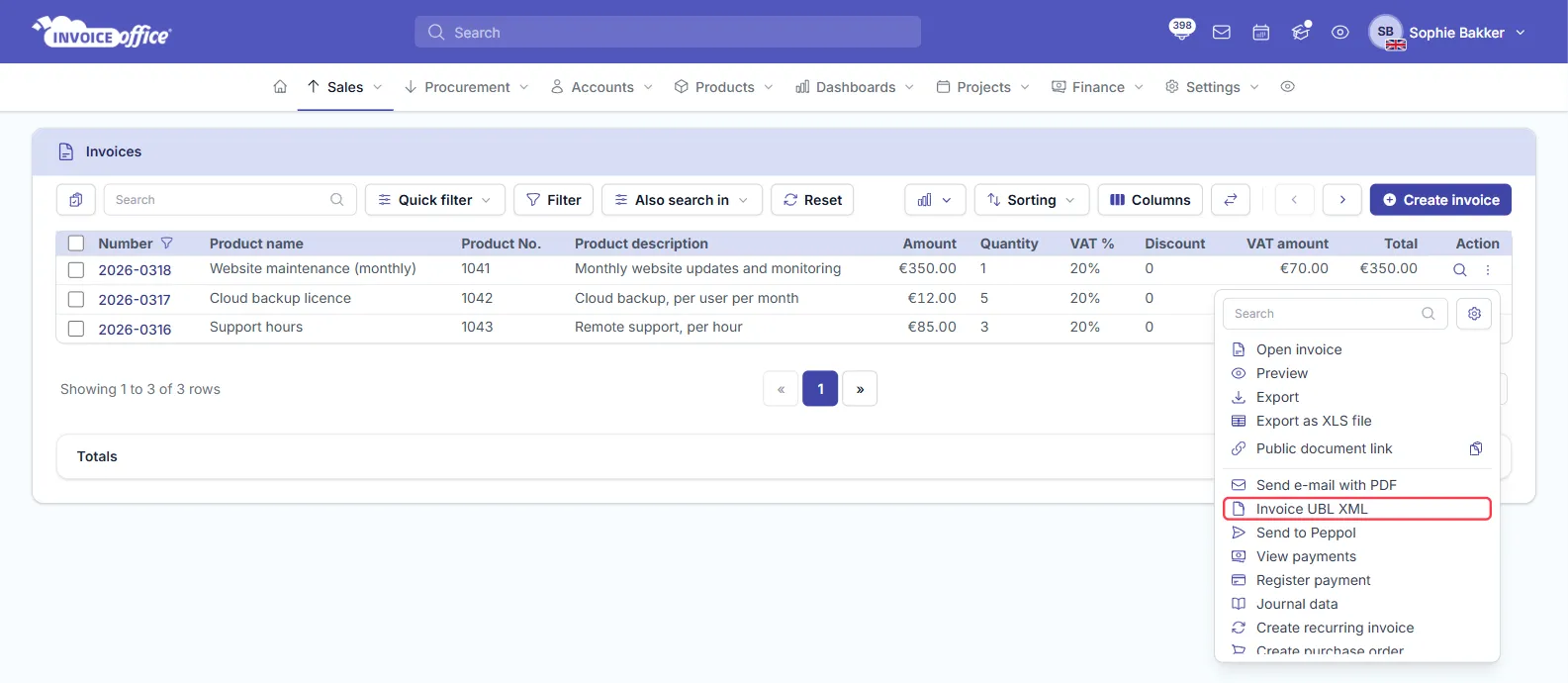
-
Send the file to your customer the way they asked for it, for example as an email attachment or through their supplier portal.
Download the UBL XML file from an open invoice
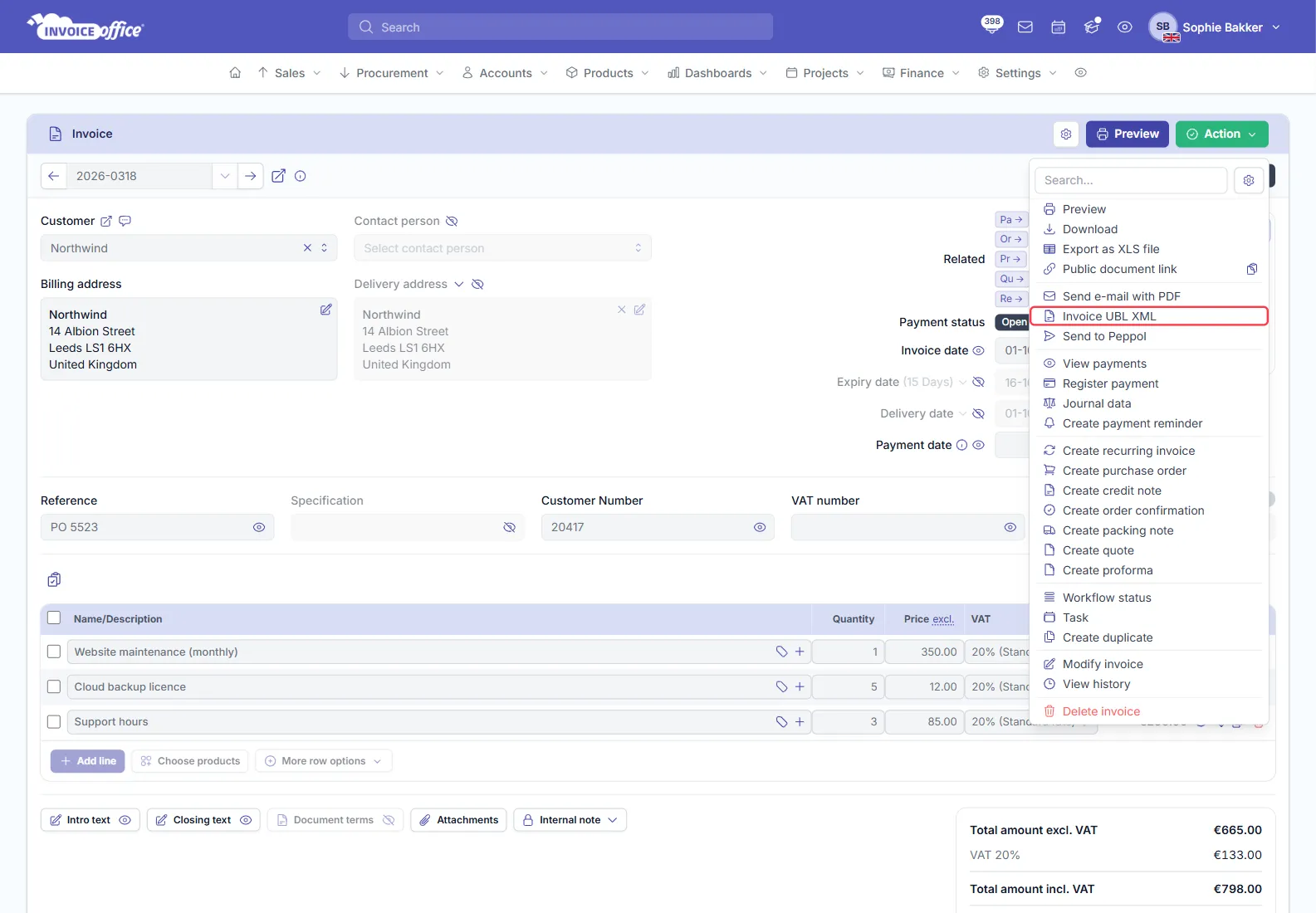
With a final invoice open, click Action at the top right and choose Invoice UBL XML. A concept invoice doesn’t have this option.
Send the UBL file with the invoice email
You don’t have to download the file and attach it yourself: the invoice email can include it.
- In the invoice’s Action menu, choose Send e-mail with PDF.
- Open the Email settings tab and turn on Send UBL.
- Check the UBL filename, then send the email as usual. The UBL file goes along with the PDF.
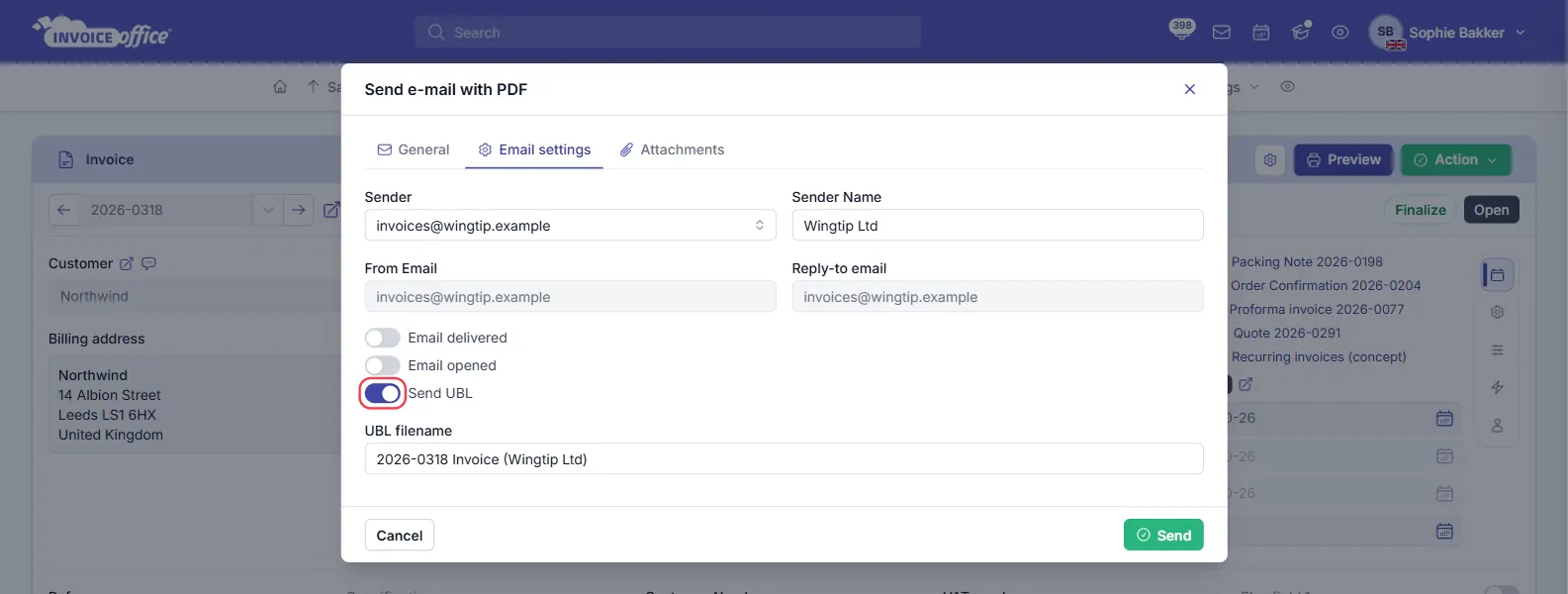
The UBL filename follows the same name as the PDF; see how to change the document PDF name.
Attach the UBL file to every invoice email
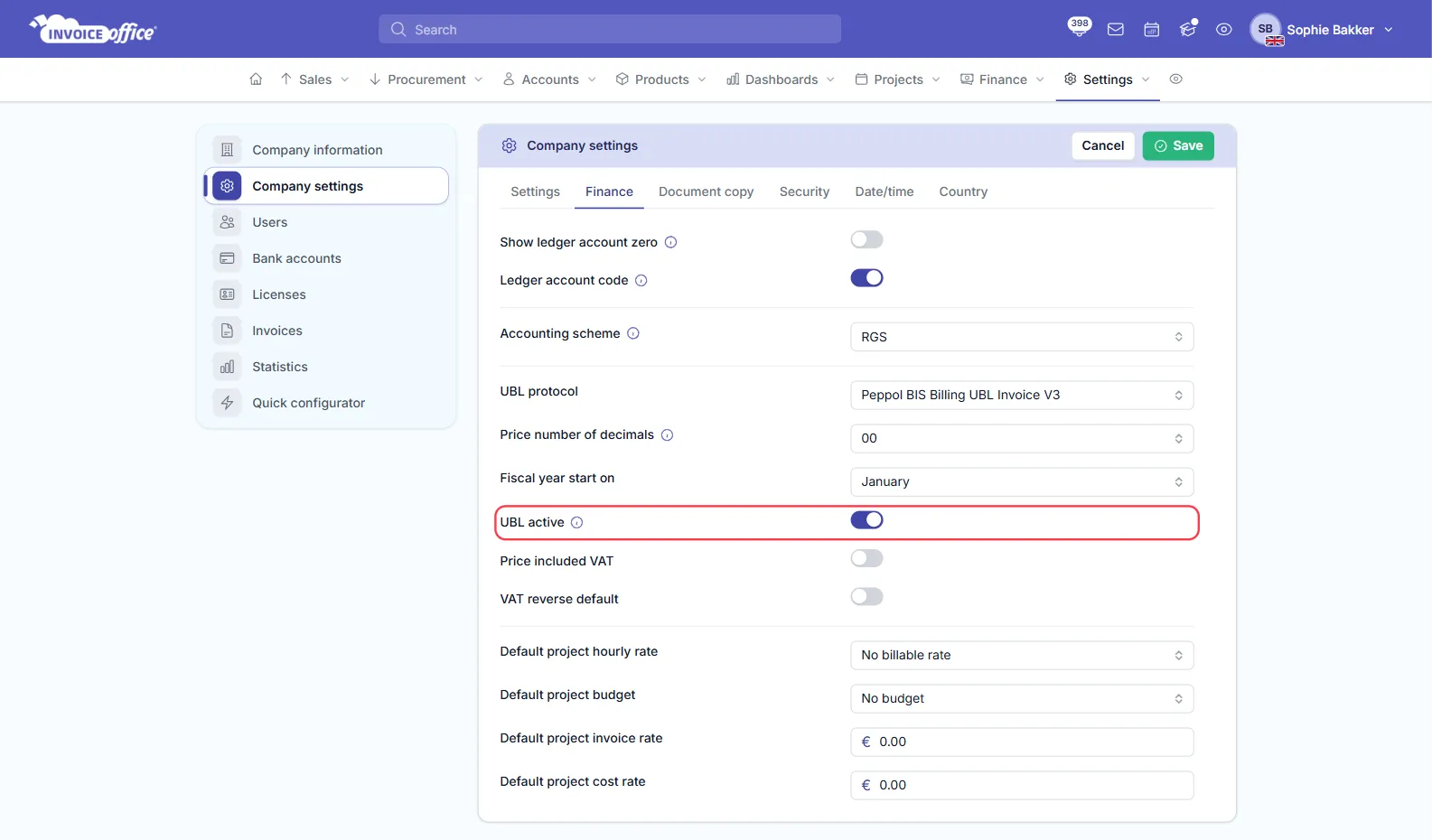
To have Send UBL switched on by default, go to Settings → Company settings, open the Finance tab and turn on UBL active: “UBL XML file is automatically attached to the document”. Click Save.
Which UBL format does the file use?
The file uses the UBL protocol that was set on the same Finance tab when the invoice was created. The default is Peppol BIS Billing UBL Invoice V3; UBL.BE Invoice 3.0 - Belgium and SimplerInvoicing are also available. If your customer needs a specific format, change the UBL protocol there and click Save before you create the invoice: invoices that already exist keep the format they were created with.
UBL download or Peppol: what’s the difference?
- Downloading the UBL/XML file is manual: you get the file and send it to your customer yourself. It works for every customer and needs no setup.
- Peppol e-invoicing delivers the same kind of UBL invoice automatically over the Peppol network, straight into your customer’s system. It needs a one-time setup, your customer must be on Peppol, and each invoice you send uses a Peppol credit. See how to set up Peppol e-invoicing.
If your customer can receive invoices over Peppol, that saves you sending files by hand. If they just asked for a UBL or XML file, the download is all you need.